
Staff Lobby
A hands-free voice room for your team during service. Think of it as an intercom that runs in the browser: staff join from wherever they are — pass, till, prep bench — and can talk without walking over or touching a screen.
How to get here
Click Staff Lobby in the sidebar.
Who can see it
Everyone — but only if your restaurant has the Kitchen Dashboard add-on. If that add-on isn't active, Staff Lobby doesn't appear in the sidebar at all.
The screen at a glance
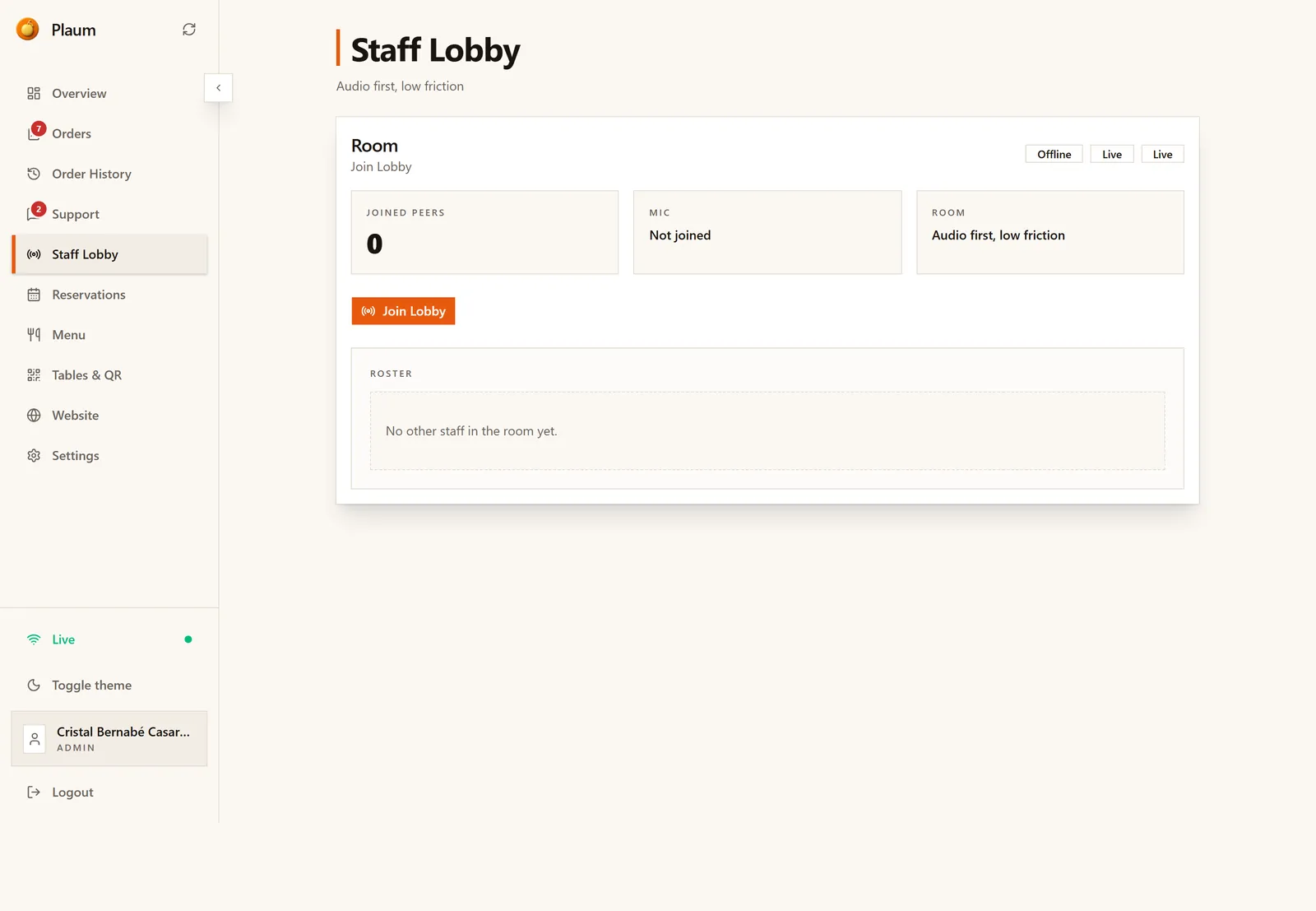
One card, described as "Audio first, low friction".
| Element | Means |
|---|---|
| Joined peers | How many staff are currently in the room |
| Mic | Whether your own microphone is connected — Not joined until you join |
| Room | The room you're about to enter |
| Join Lobby | Connects you |
| Roster | Who else is in the room right now |
The badges in the card's top-right show the room's connection state — Offline until someone joins, Live once the room is active.
Joining
- Click Join Lobby.
- Your browser asks for microphone permission. Allow it — without the microphone you can hear others but can't speak.
- Joined peers increases and your name appears in the Roster.
When nobody else has joined, the roster reads "No other staff in the room yet." That's normal at the start of a shift.
Using it during service
Once joined, the lobby runs in the background. You can move to Orders, Menu or anywhere else in Plaum and stay connected — you don't have to keep this screen open.
It works best when the whole section joins at the start of service and stays in for the duration, exactly like a headset channel.
Leaving
Return to Staff Lobby and leave the room, or close the Plaum tab. Your name drops off the roster and the joined count falls.
Gotchas
- Microphone permission is per device and per browser. A staff member who denied it once will keep failing to be heard until they re-allow it in their browser's site settings.
- Joining is per person, not per restaurant. Everyone who wants to be in the conversation has to click Join Lobby themselves.
- It's separate from the voice assistant. Staff Lobby is staff talking to each other. "Hey Plaum" is the AI assistant, configured in Settings → Kitchen Mode.
- Losing the Kitchen Dashboard add-on removes this screen, and with it the room.