
Dish detail
Deep link: plaum://dish/:dishId
How you get here: tapping a dish card in Discover, a search result,
a pin's menu on the map, or a restaurant's menu.
Requires an account? Browsing, no. Ordering, yes.
What this is
Everything about one dish: the photo, the price, the description, the ingredients, who serves it, and — if the kitchen is open — how to order it with every modifier the restaurant offers.
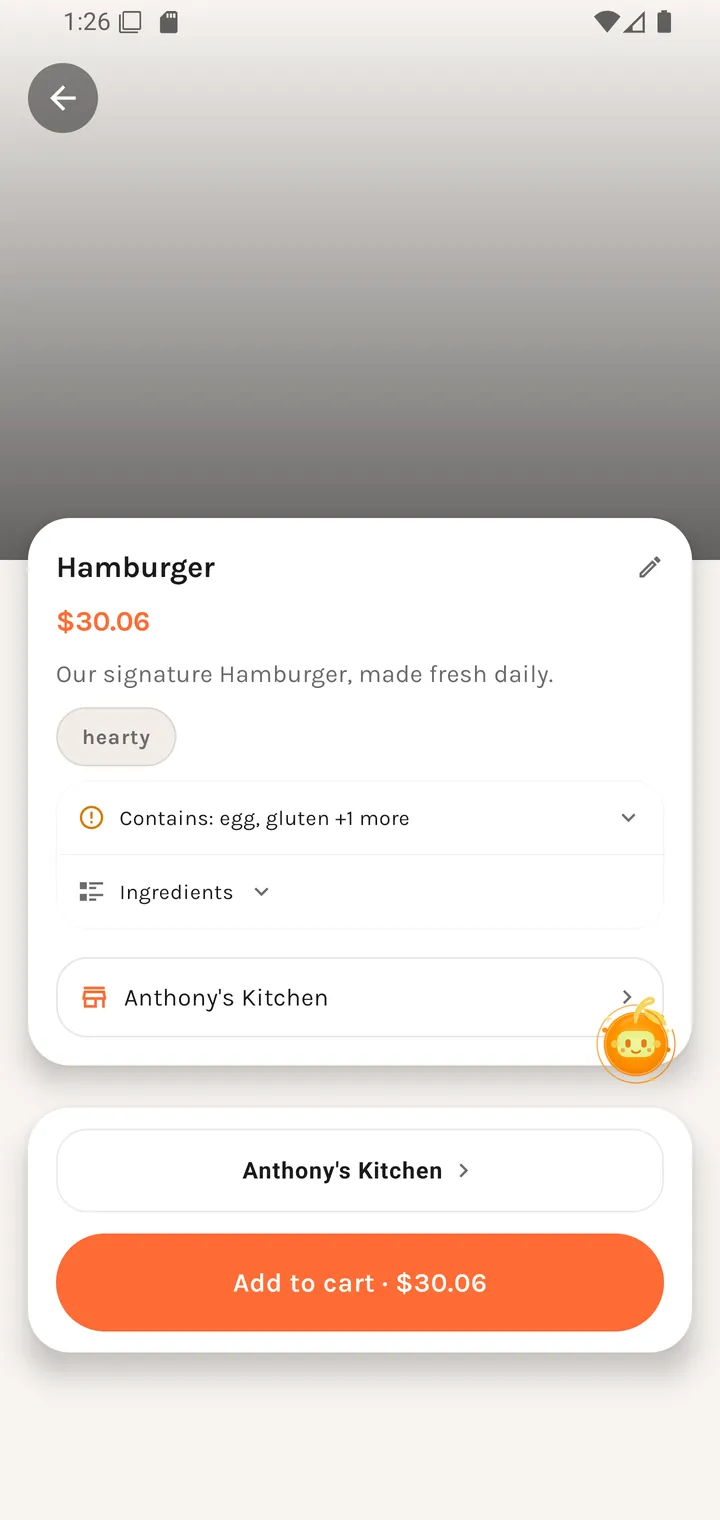
The top of the screen
| Element | Notes |
|---|---|
| Photo | Full-bleed at the top. |
| Back | Top-left. |
| Suggest an edit | Pencil icon. Opens Suggest a dish edit — the crowd-correction path for a wrong price, name, or description. |
| Dish name | e.g. Three Tacos |
| Price | e.g. ~$0.25. The tilde is honest — it's the base price before modifiers. If there is no price at all it reads Price unavailable. |
| Description | The restaurant's own copy. |
| Ingredients | A collapsible list — tap to expand. |
| Restaurant row | Tapping it opens Restaurant profile. If it can't be loaded you get "Restaurant unavailable — we could not open the restaurant for this dish." |
Modifiers — "Choose extras"
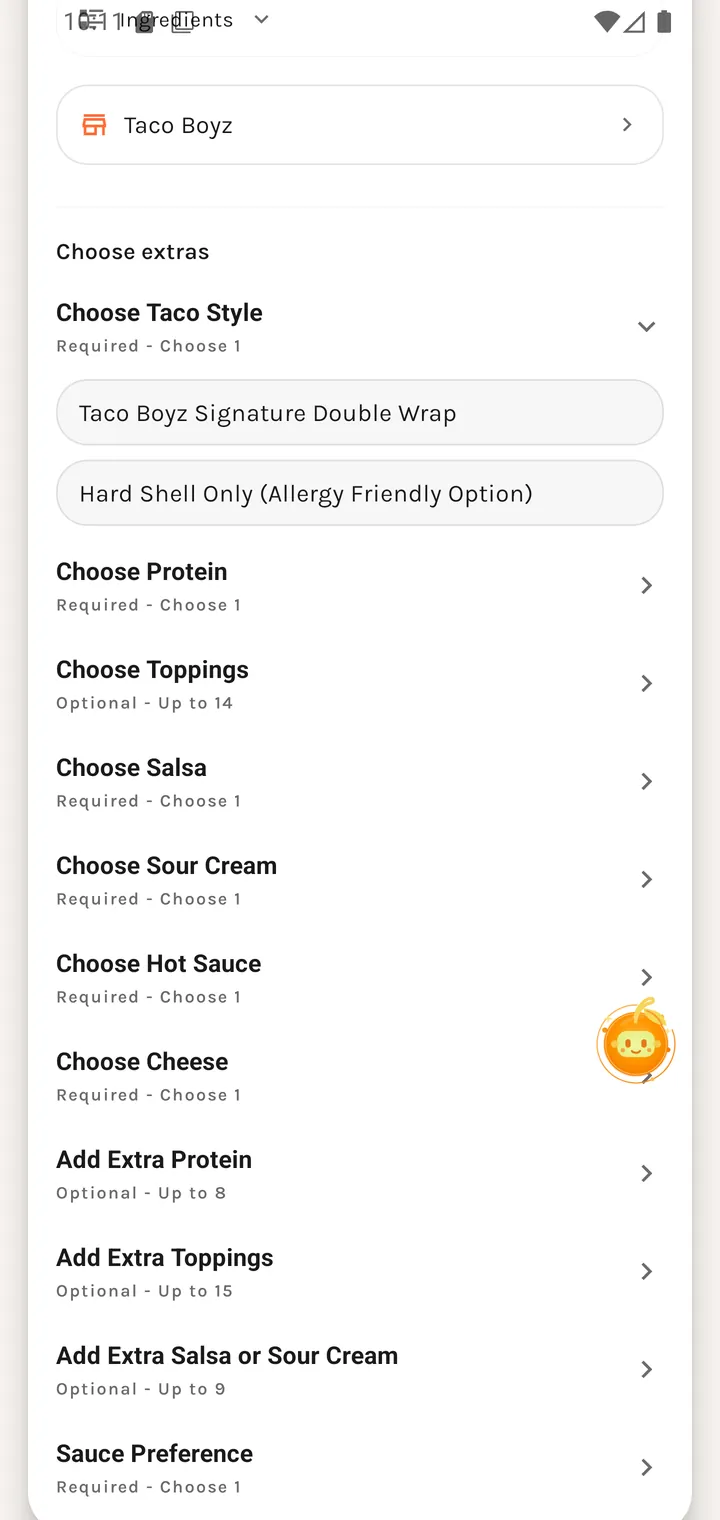
This is where a dish becomes an order. Modifier groups are listed in the restaurant's own order, each labelled with its rule:
| Group | Rule |
|---|---|
| Choose Taco Style | Required - Choose 1 |
| Choose Protein | Required - Choose 1 |
| Choose Toppings | optional, multi |
| Choose Salsa | … |
| Choose Sour Cream | … |
| Choose Hot Sauce | … |
| Choose Cheese | … |
| Add Extra Protein | … |
| Add Extra Toppings | … |
| Add Extra Salsa or Sour Cream | … |
| Sauce Preference | … |
Required - Choose 1 groups must be answered before the dish can go in the cart. Options that cost extra show their surcharge, and the running price updates as you choose.
Real menus get long — the example above is a single taco dish with eleven groups. The screen is one continuous scroll, with the order button pinned at the bottom.
Ordering
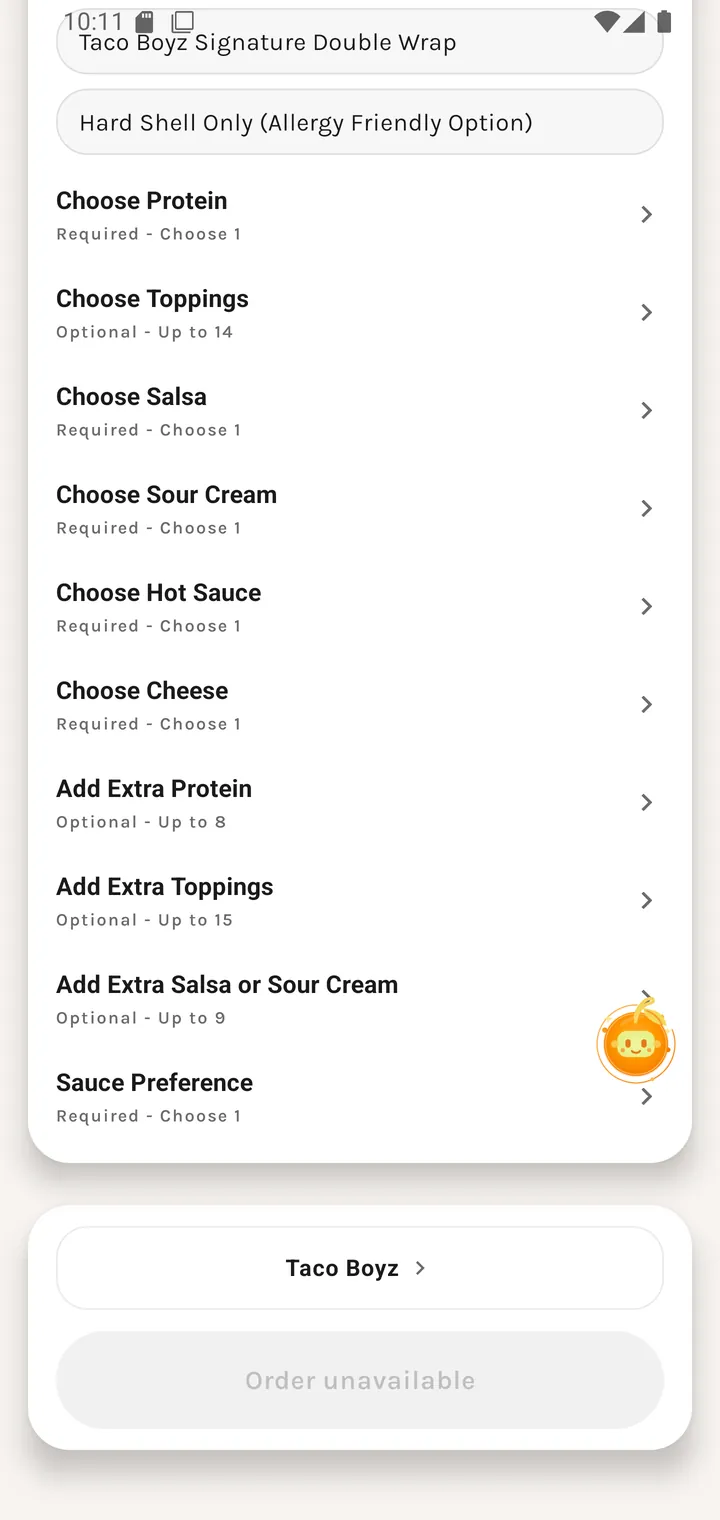
When the restaurant is taking orders the bottom button adds the configured dish to your cart. When it isn't, the button is replaced by a disabled state:
| State | What it means |
|---|---|
| Order unavailable | The restaurant isn't accepting orders — closed, not set up for ordering, or an unclaimed listing. |
| Kitchen is offline. | The restaurant is normally orderable but its kitchen is currently down. |
A restaurant can be Open and still show Ordering closed — being open for walk-ins and being wired up for Plaum ordering are different things.
Guests tapping order are asked to sign up first (browsing as a guest): "You'll need an account to order food."