
Support
How you get here: Support in Settings — "Help, FAQ, tickets, and chat". Also from the reservations screen's help icon. Requires an account? Yes.
What this is
Two tabs — Help and Tickets — arranged so that searching comes before raising a ticket. The screen says so out loud:
Use FAQ search before escalating when you can.
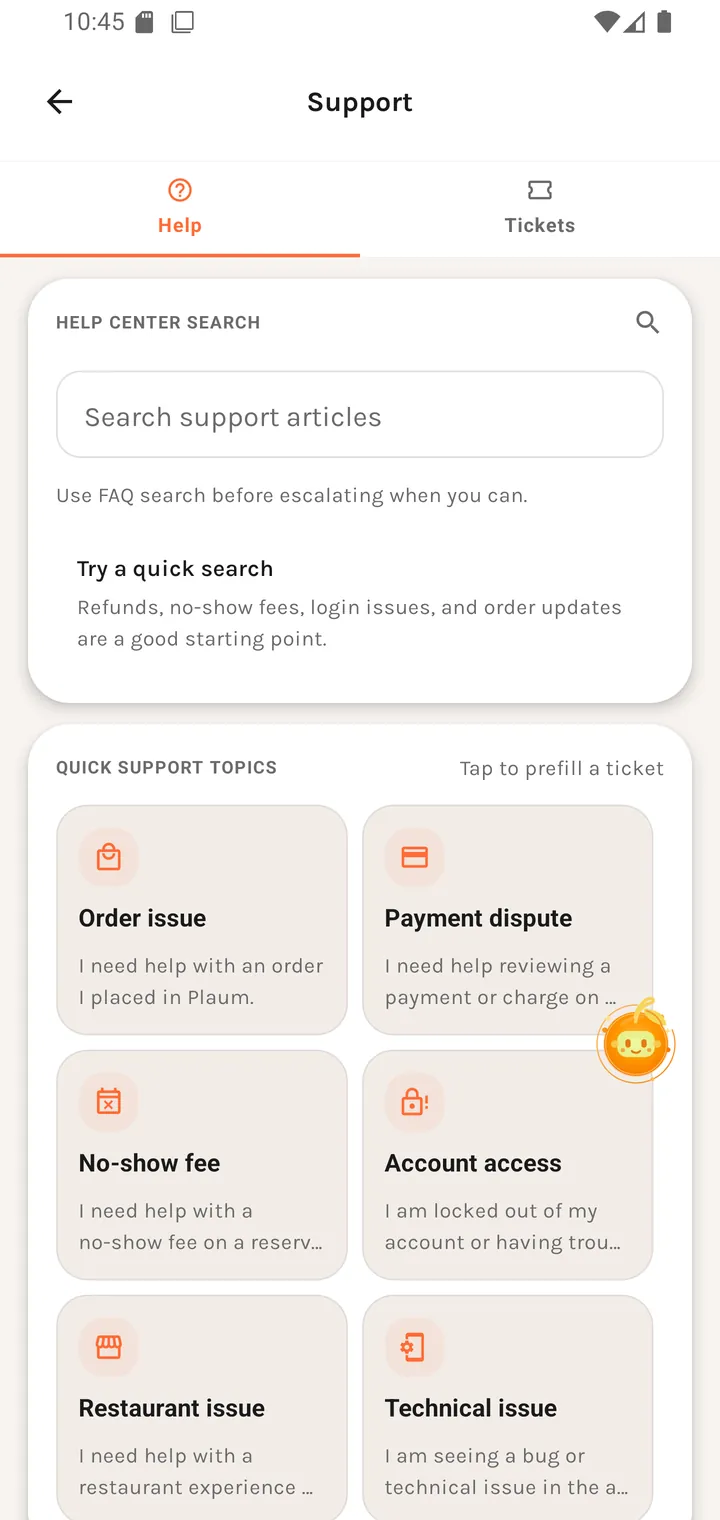
The Help tab
Help centre search
A Search support articles field. The prompt underneath gives you a worked example and a
starting set:
Try a quick search Refunds, no-show fees, login issues, and order updates are a good starting point.
with "How do refunds work?" shown as a sample query.
Quick support topics
Tap to prefill a ticket
Six one-tap starting points. Each carries a plain-language description of the problem it covers, so you pick by symptom rather than by category name:
| Topic | Description |
|---|---|
| Order issue | I need help with an order I placed in Plaum. |
| Payment dispute | I need help reviewing a payment or charge on my account. |
| No-show fee | I need help with a no-show fee on a reservation. |
| Account access | I am locked out of my account or having trouble signing in. |
| Technical issue | I am seeing a bug or technical issue in the app. |
| Restaurant issue | I need help with a restaurant experience on Plaum. |
Tapping one prefills a ticket rather than submitting it — you still get to add detail.
The Tickets tab
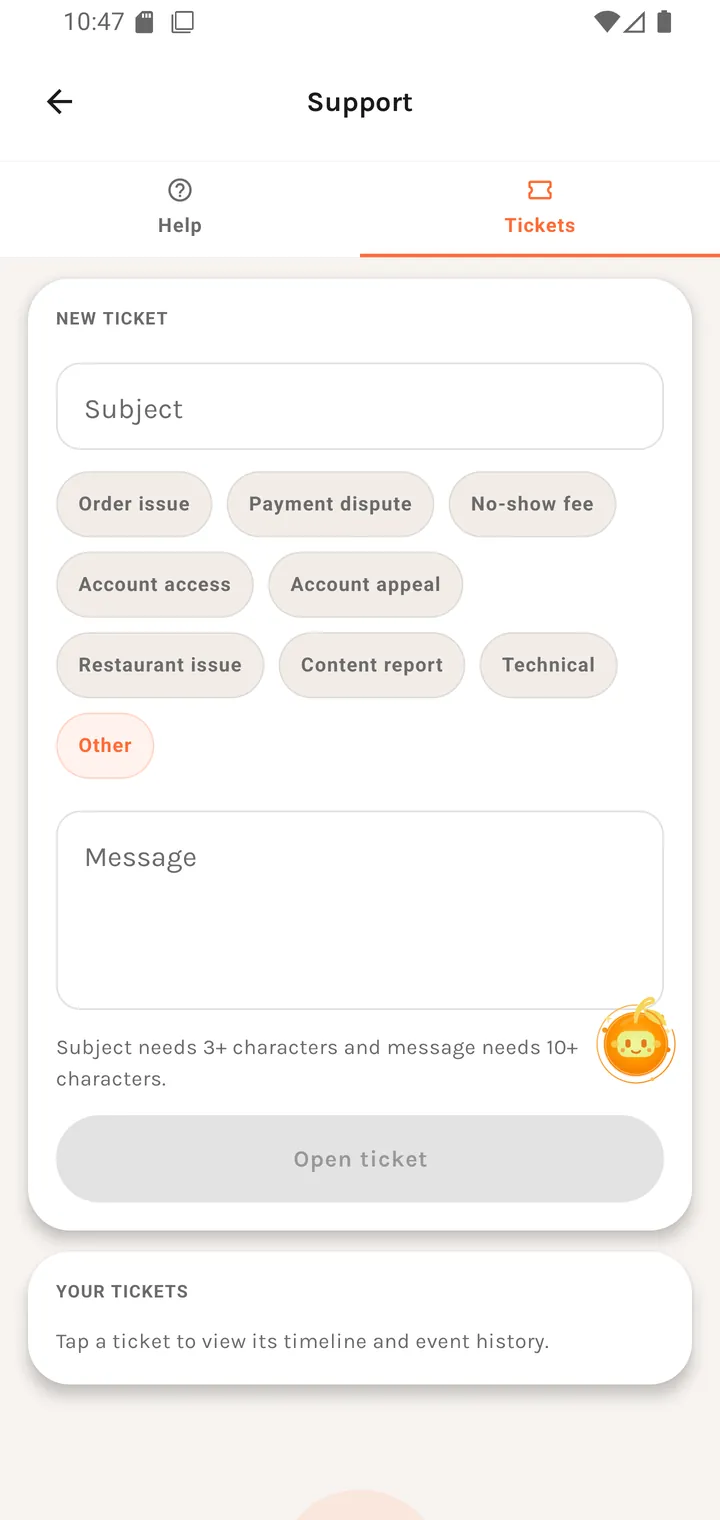
Two sections:
- New ticket — the same categories as the quick topics (Order issue, Payment dispute, No-show fee, Account access, Technical, Restaurant issue, Other), for starting from scratch.
- Your tickets — everything you've raised, with its status, and the thread of replies.
Where you go next
Tickets stay in Your tickets. For a problem with a listing rather than your account, use Report a place or Suggest a dish edit instead — those go to the data team, not support.