
Explore — the map
How you get here: the Map tab — the first slot in the tab bar. Requires an account? No — guests get the map.
What this is
Every restaurant Plaum knows about, as pins on a live map, with a draggable sheet of nearby places underneath. This is the promise from onboarding slide 1: "See nearby restaurants and dishes on one live map."
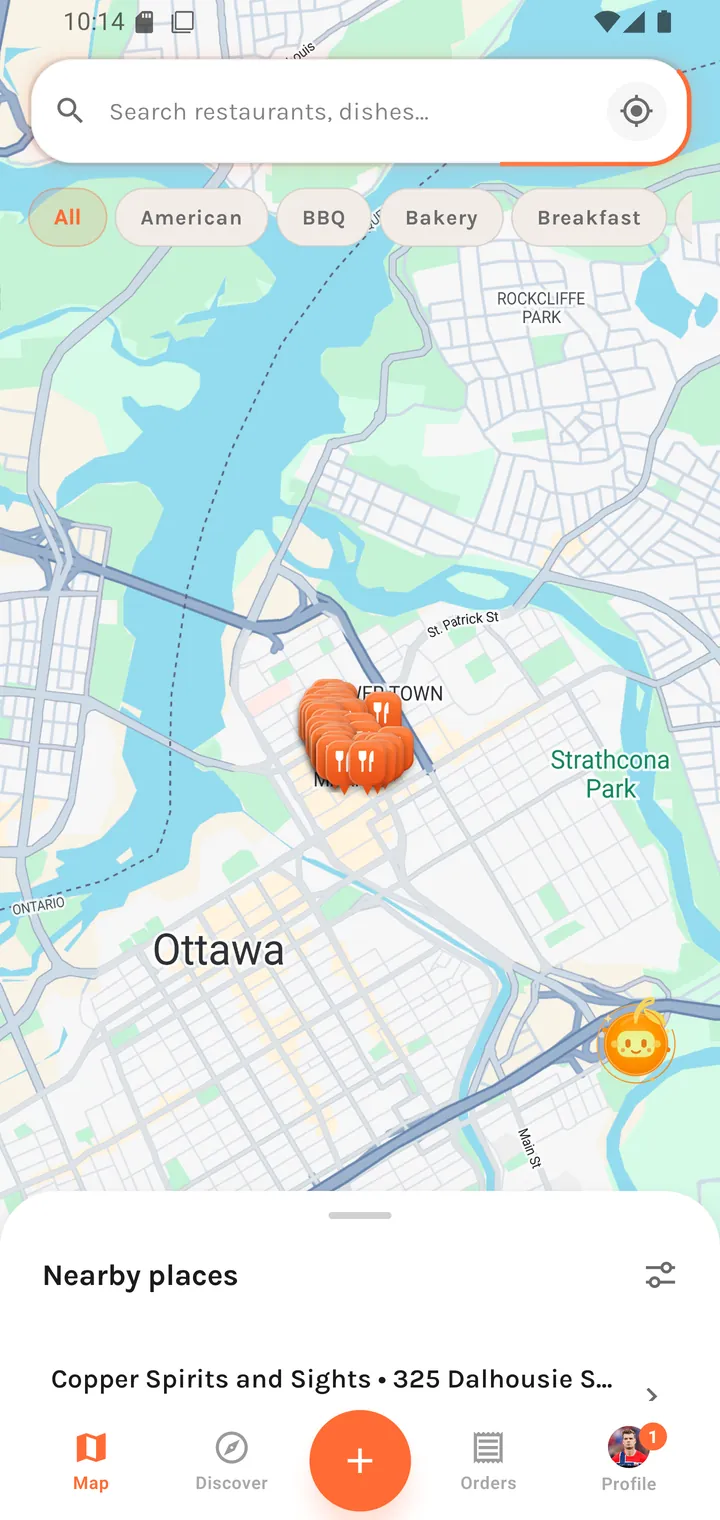
The map
- Orange pins mark restaurants. Dense areas cluster into overlapping stacks.
- Search —
Search restaurants, dishes…across both restaurants and dishes. - Recentre — the crosshair button in the search bar snaps back to your location.
- Cuisine chips below the search bar filter the pins: All, American, BBQ, Bakery, Breakfast, …
- Panning the map re-queries for that area, so you can look somewhere you aren't.
Tapping a pin loads the restaurant — briefly showing "Loading restaurant…" — then pops a callout with the name, the street address, and the distance:
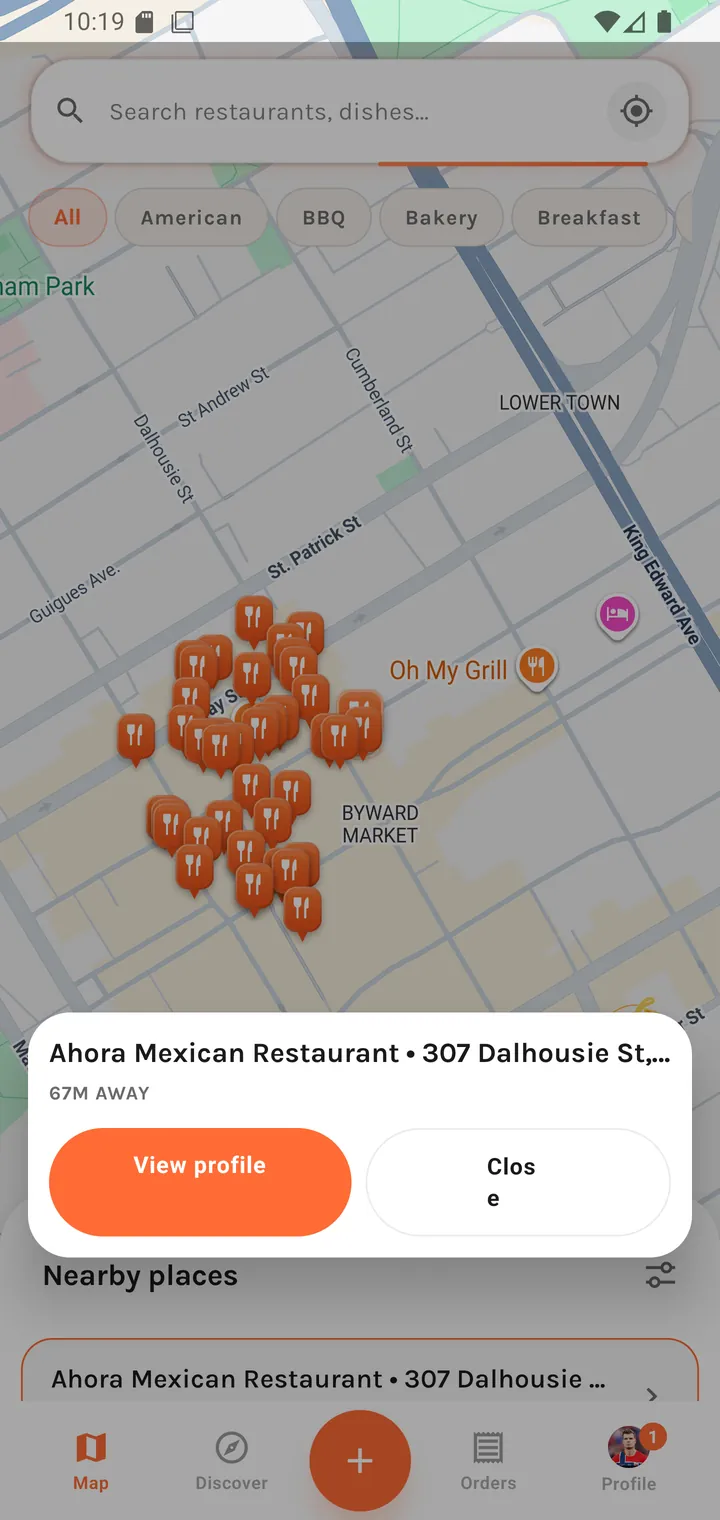
Ahora Mexican Restaurant • 307 Dalhousie St, … 67M AWAY [ View profile ] [ Close ]
View profile goes through to Restaurant profile.
The "Nearby places" sheet
A bottom sheet you can drag up over the map. Its title tracks the cuisine filter: Nearby places with All selected, or e.g. Mexican nearby with a cuisine picked.
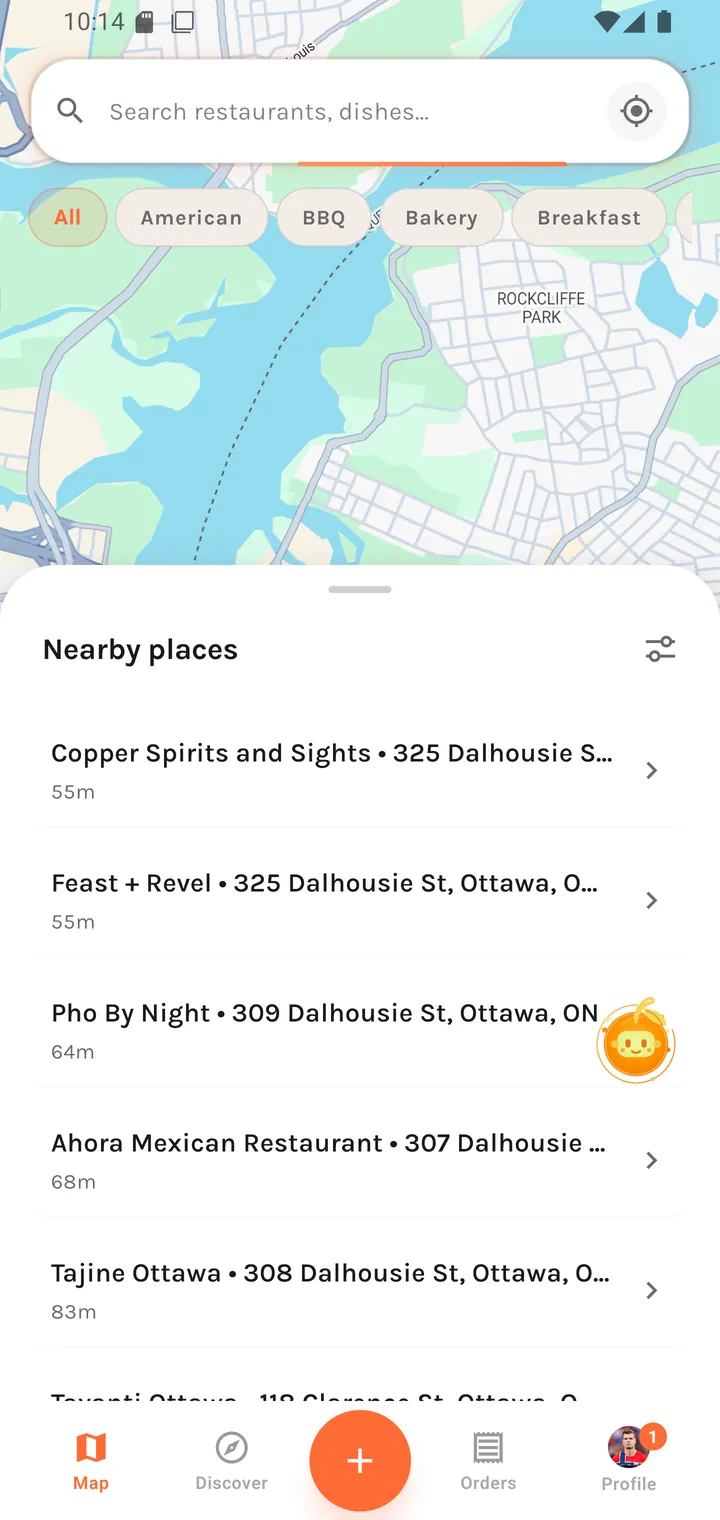
Each row shows the restaurant, its street address, and its distance — rendered as
{value}m away under a kilometre and {value} km away above it. A filter icon in the
sheet header opens more filtering.
When there's nothing to show:
No nearby places yet. Try moving the map or checking again in a moment.
The message distinguishes "nothing here" from "still loading", and names the two things that actually help.
A quirk worth knowing
The tab bar behaves differently on this screen. Everywhere else it floats as a rounded pill with margins; on the map it docks flush to the bottom edge, full width. The map has no bottom padding for a floating pill to hover over, so it reserves exactly the bar's height instead and the bar sits flat against the screen edge.
If location is off
The map needs a location signal. With permission denied you get a gate rather than an empty map:
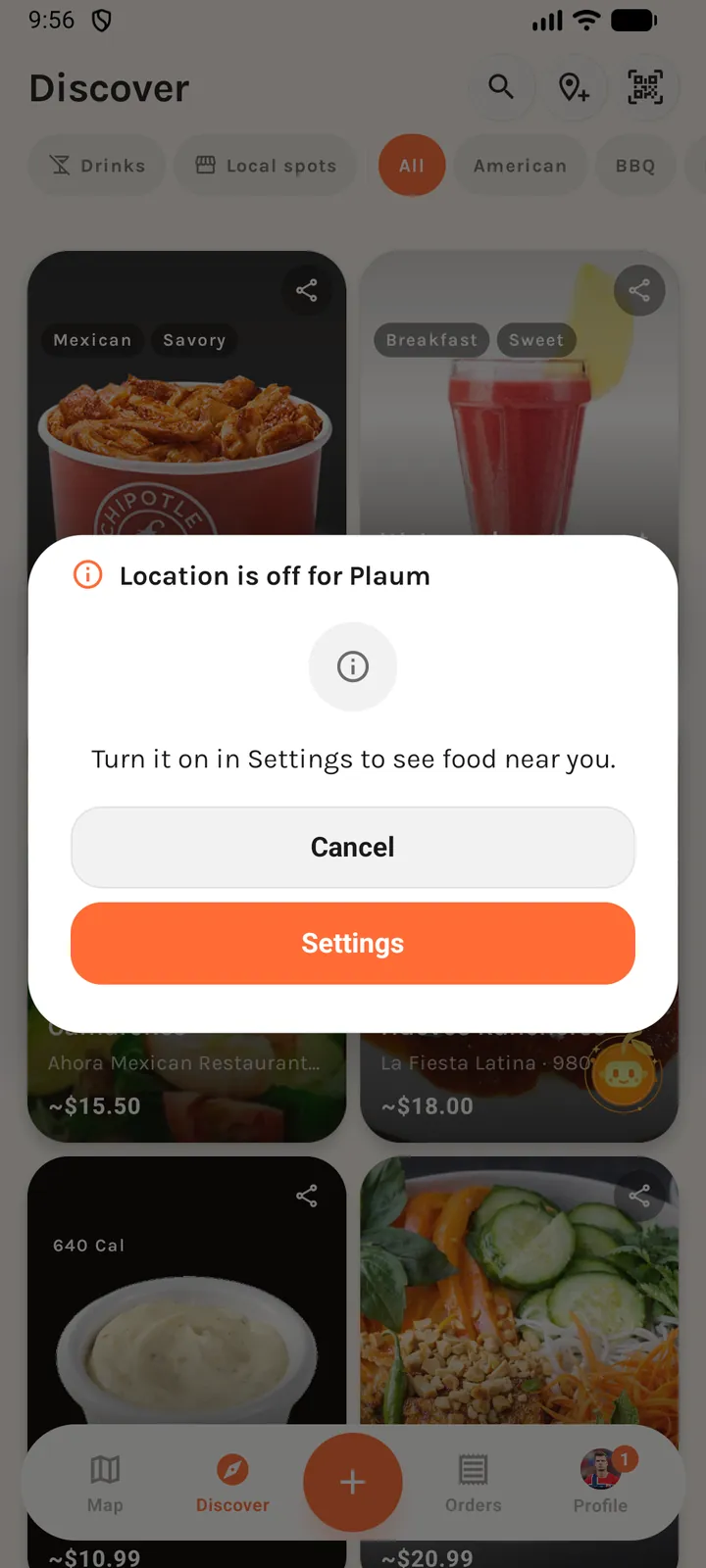
Location is off for Plaum Turn it on in Settings to see food near you.
[ Cancel ] [ Settings ]
Settings jumps straight to the OS permission page. With no location signal at all, the app falls back to the centre of Ottawa — the launch city — so the map still has somewhere to be.