
Your live site
What a customer sees when they visit your web address: the navigation that runs across every page, the home page, and the about and contact pages.
Getting there
Your address is shown on the Website screen — a Plaum
subdomain like yourrestaurant.plaum.app, or your own domain once connected.
What's on every page
The navigation bar carries your restaurant name on the left and links across the right: Home, Menu, Order Online, About, Contact, and a Reserve a Table button.
The footer repeats your name, address, phone and opening hours, with links to your privacy policy, terms and refund policy, and a small "Powered by Plaum".
Both are built from your restaurant profile, so they stay correct without you touching them.
The home page
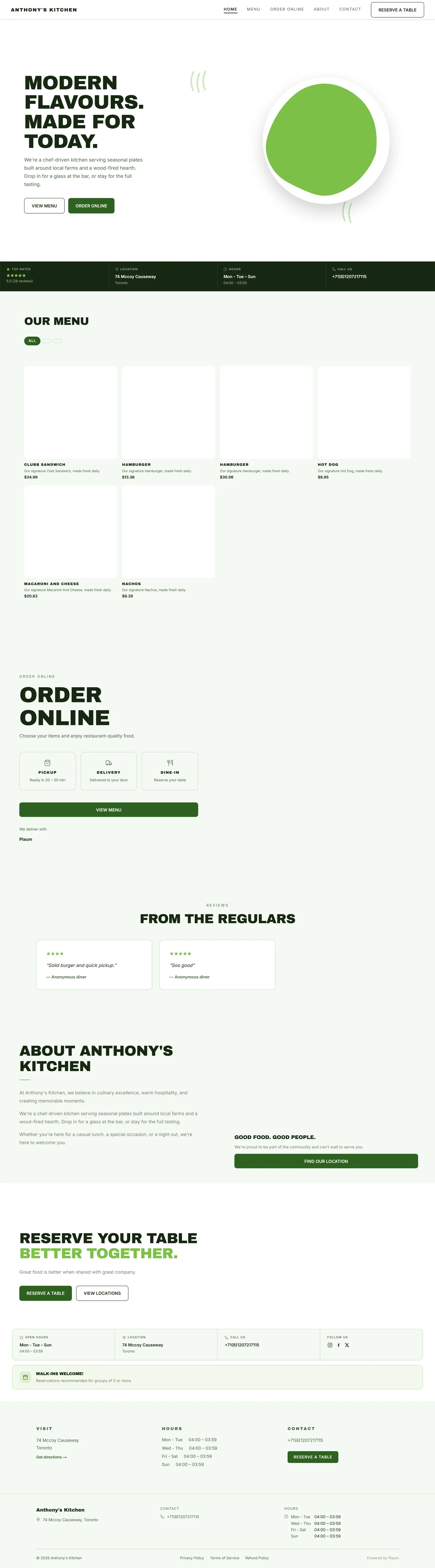
Reading down, the home page is assembled from the sections you enabled in the Studio:
| Section | What it shows |
|---|---|
| Hero | A large headline, a line of intro copy, an image, and buttons — usually View Menu and Order Online |
| Info strip | Your rating, location, opening hours and phone number in one band |
| Order Online | Pickup, delivery and dine-in options with a button through to ordering |
| Reviews | Real customer reviews, headed "From the regulars" |
| About | Your story, with a Find our location button |
| Reservations | A prompt to book, with your open hours and location |
Sections appear in the order you set, and any you've hidden simply don't render.
Everything factual here — hours, address, phone, reviews — comes from your Plaum data. The headlines and body copy come from the builder.
The about page
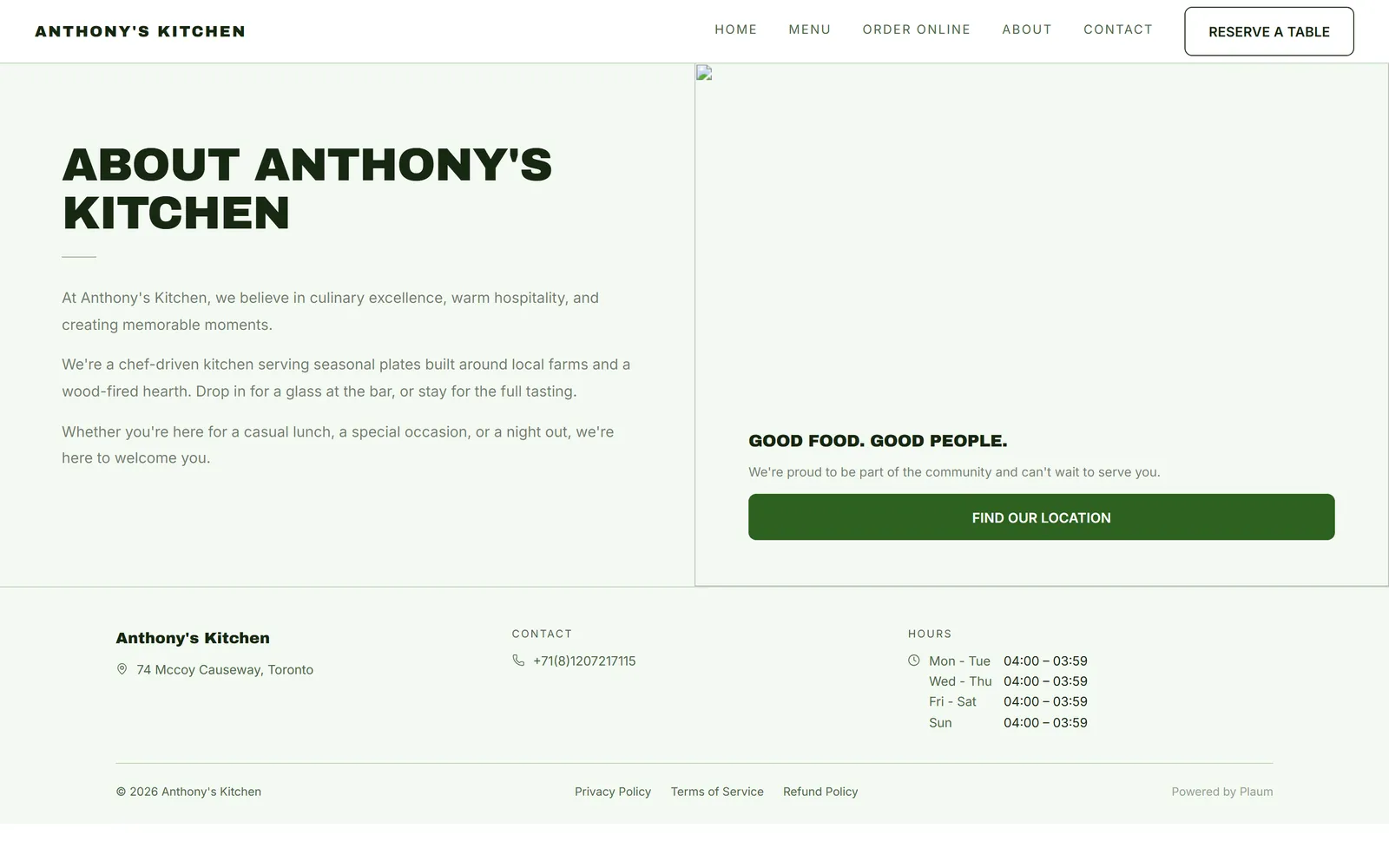
Your restaurant's story at more length, headed About [your restaurant].
Worth writing properly. This is the page people read when deciding whether you're the kind of place they want tonight, and it's the one most likely to be left on the theme's starter text. If your about page still talks about a "wood-fired hearth" you don't have, that's the template writing rather than you.
Edit it in the Studio: select the About section and use Properties.
The contact page
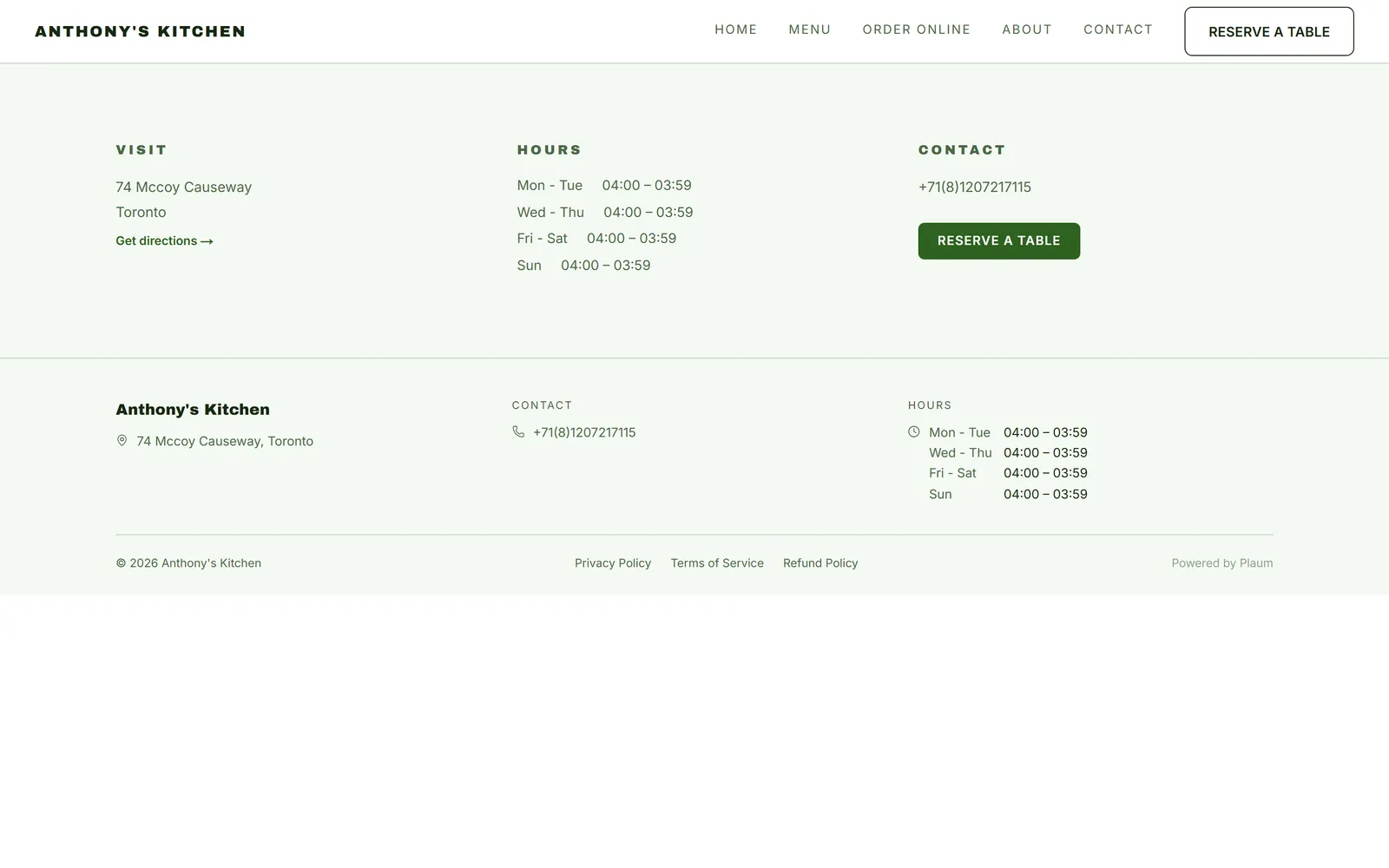
Everything a customer needs to reach or find you:
- Visit — your address, with a Get directions link that opens their maps app
- Hours — your opening times, grouped by day
- Contact — your phone number, tappable on a phone
- Reserve a table — a button through to booking
All of it comes from your restaurant profile. If something's wrong here, fix it in the Plaum mobile app — it can't be edited on the website or in the dashboard, and it will correct itself everywhere at once.
Common tasks
Change your headline
Studio → select the hero → Properties → edit the headline → Save → Publish.
Fix wrong opening hours
Not on the website. Update them in the Plaum mobile app; the site follows.
Check how it looks on a phone
Studio → the phone icon above the canvas. Or open your address on your own phone — that's the real test.
Gotchas
- Starter copy is easy to leave behind. Themes ship with plausible-sounding restaurant text. Read every section before publishing.
- Hours and address are not editable here. Mobile app only.
- Reviews are real. They come from customers, so you can't edit or remove them from the builder.
- The About section can render empty if no copy has been written, leaving a headline over blank space. Either write something or hide the section.