
Your orders
How you get here: the Orders tab. Requires an account? Yes. Guests see "Your orders live here" instead.
What this is
Every order you've placed, active ones first. The tab itself carries a badge counting
orders that are neither completed nor cancelled — so you can see at a glance that
something is still in flight without opening it.
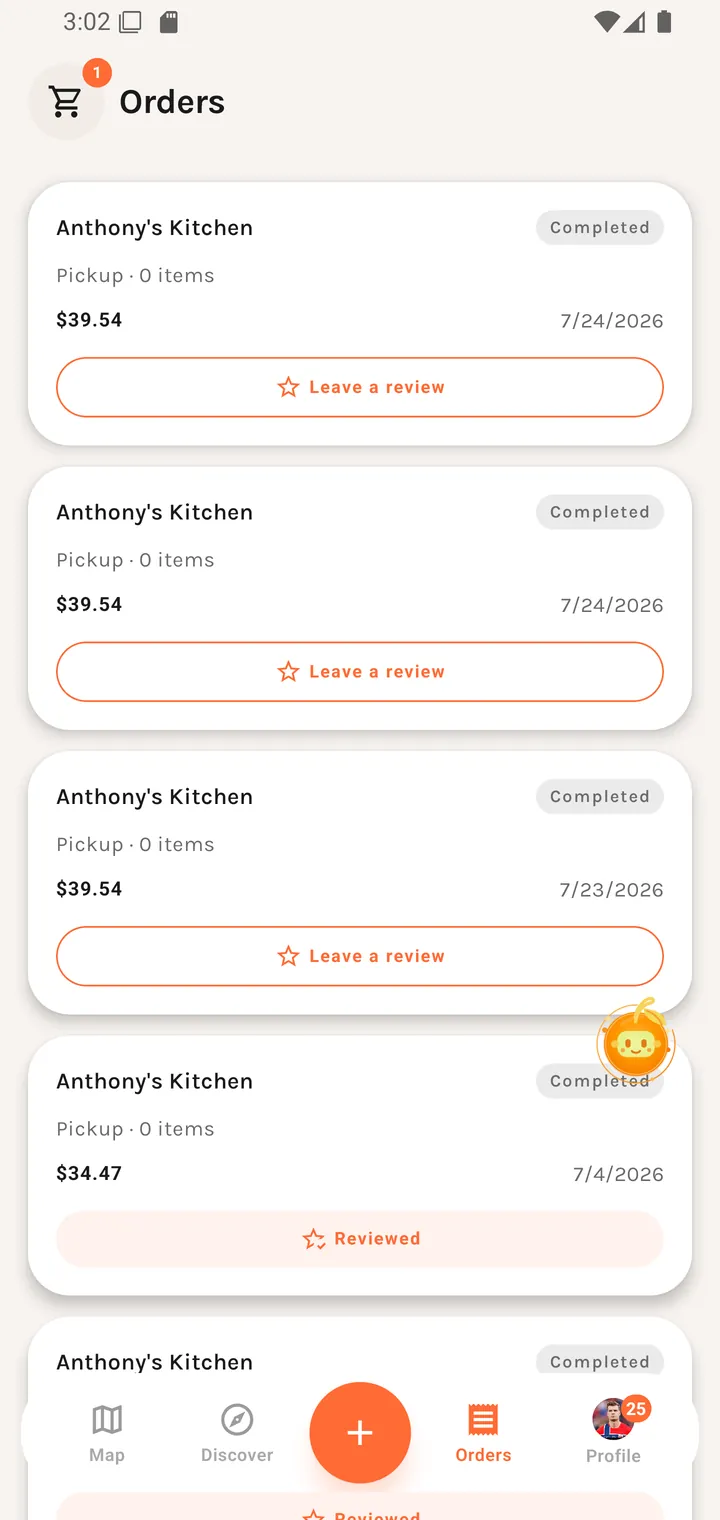
The screen
A cart icon sits in the top-left, so a part-built order is reachable from here.
Each row shows the restaurant, the order's status, the total, and when it was placed. Tapping opens Order status for a live order or the receipt for a finished one.
Empty state
Your order history will appear here once you place an order. [ Find dishes ]
Find dishes routes to Discover — the empty state is a way back into the app, not a dead end.
How the badge is counted
The tab badge counts everything that is not completed or cancelled, and refreshes about once a minute.