
Table bookings
How a customer requests a table through your website, and where that request lands.
Before anything else
Booking has to be switched on, and that's two steps in the dashboard — activating the module, then enabling it and adding availability. See Reservations.
Until both are done, the page says:
Reservations are not available for this restaurant.
A common trap: the module is active, but no availability is configured for any day. The feature is on and the site still takes no bookings, because there are no times to offer.
The booking form
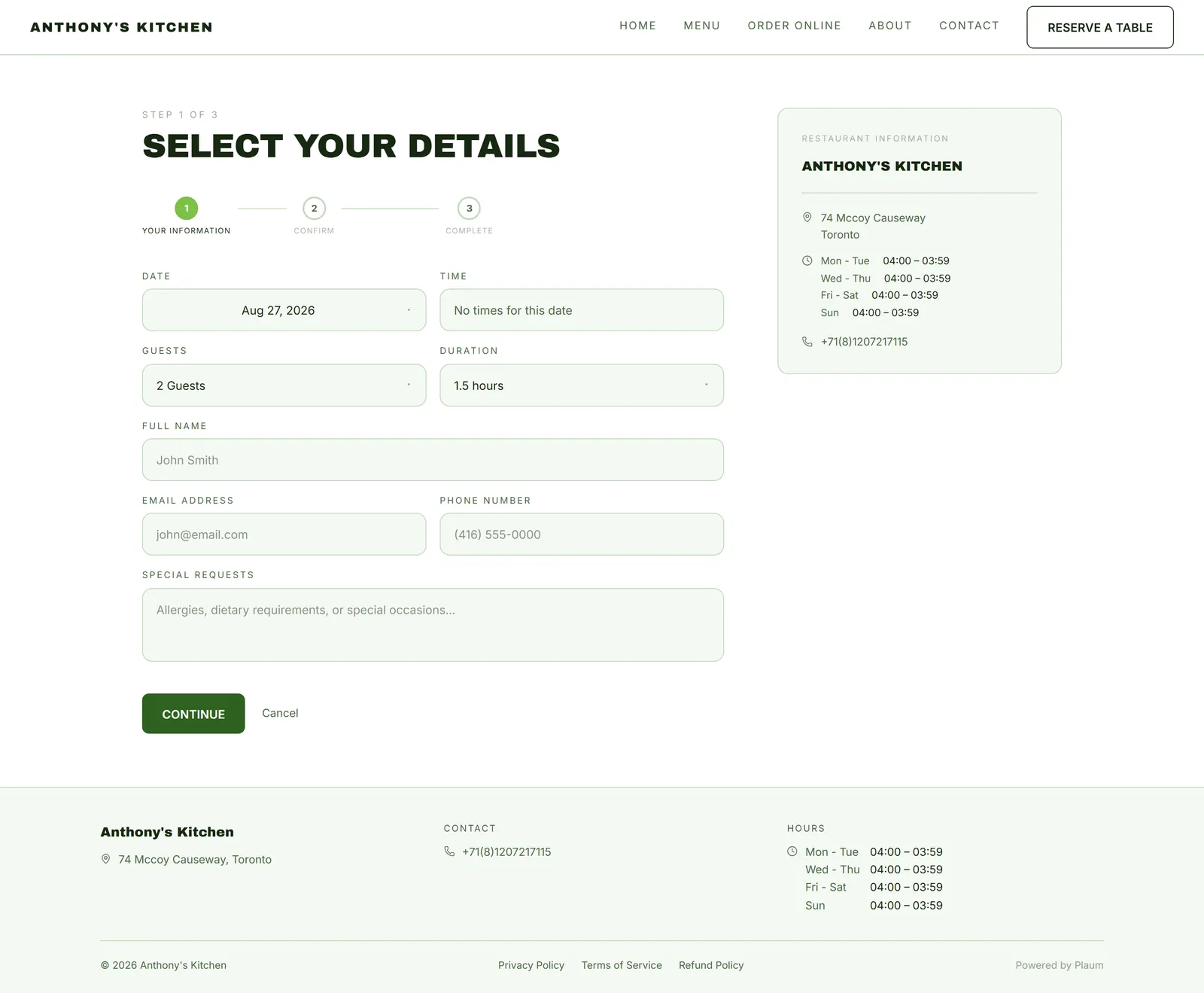
Reserve a Table appears in your navigation on every page, and on the home page.
Booking is a three-step wizard: Your information → Confirm → Complete.
Step 1 — Your information
Four pickers, pre-filled with sensible defaults:
- Date
- Time
- Guests — capped at the maximum party size you set
- Duration — how long the table is held
Then the customer's details:
- Name
- Phone
- Special requests — "Allergies, dietary requirements, or special occasions…"
Only times inside your configured availability are offered, and blackout dates don't appear at all.
Step 2 — Confirm
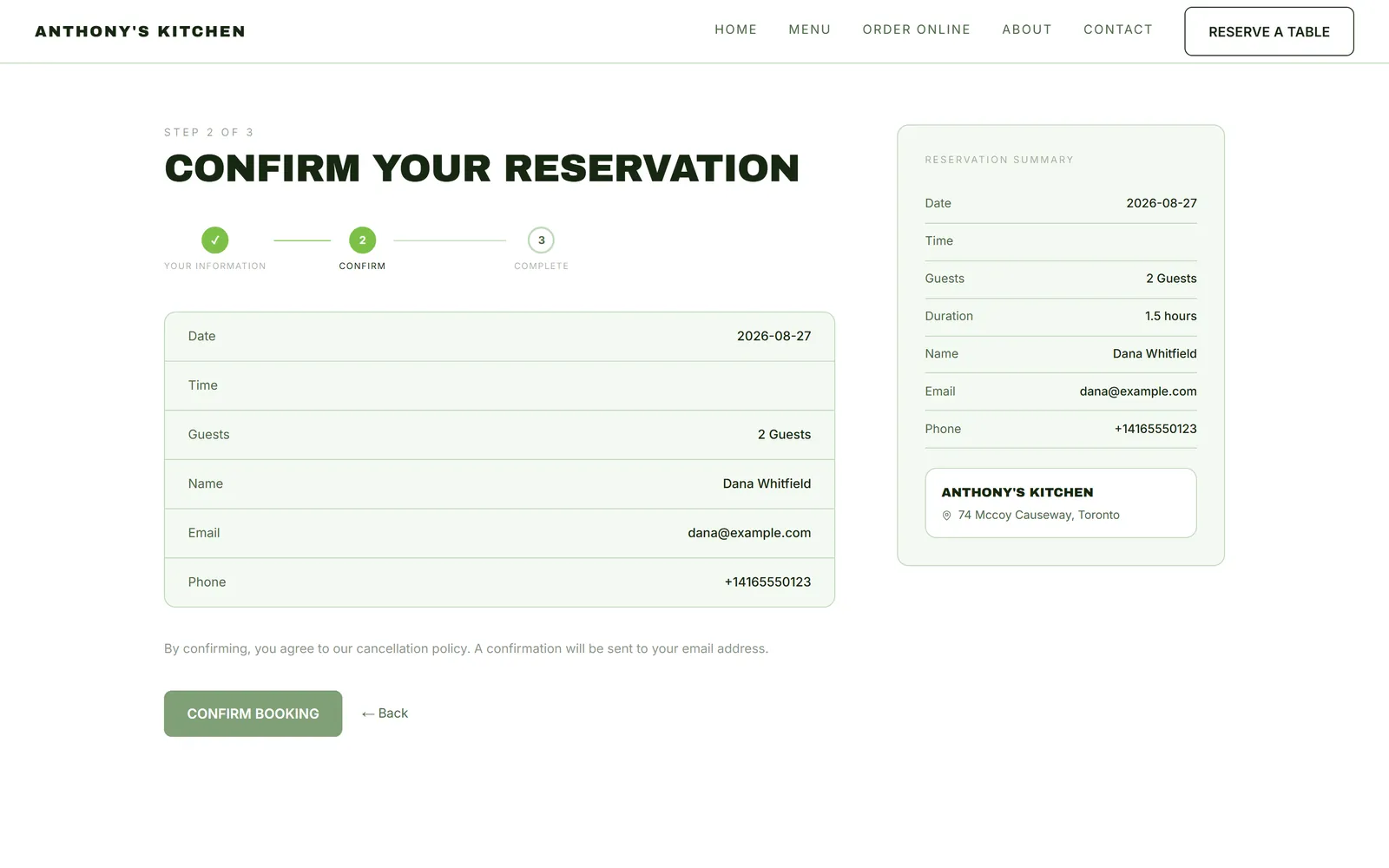
Everything is shown back for review — date, time, guests, duration, name, email, phone — beside a Reservation summary and your address. Below it: "By confirming, you agree to our cancellation policy. A confirmation will be sent to your email address."
Confirm Booking submits it; ← Back returns to step 1.
If any detail reads — here, that field was left empty in step 1. Worth knowing when a customer rings about a booking with no name on it.
Step 3 — Complete
A confirmation, and an email to the customer.
What happens on your side
The request lands in the Pending filter of your Reservations queue.
It is a request, not a booking. As the queue puts it: "Reservation requests are review items, not instant confirmations." Nothing is held until you accept it. Customers don't always realise this, so a prompt response matters — and requests left past their decision deadline show up as Overdue.
Accept or decline, and assign a table if you want the floor plan to reflect it.
What the customer's choices cost you
Settings you control in the dashboard shape this form directly:
| Your setting | Effect on the customer |
|---|---|
| Max party size | Larger groups can't book online and must phone |
| Slot duration | Determines the times offered |
| Daily availability | No range on a day means no bookings that day |
| Blackouts | Those dates disappear from the picker |
| Cancellation window | How long they can cancel free of charge |
| Security deposit | Doubles as your no-show penalty |
Gotchas
- Availability is the usual culprit. Enabled but empty takes no bookings.
- A request is not a confirmation. Until you accept, the guest has nothing.
- Special requests are where allergies get written. Read them before the guest arrives, not when they sit down.
- Deposits need billing setup, or the amount can't be charged.
- Max party size pushes big groups to the phone. Set it to a number you can actually seat.