
Checkout
How you get here: Checkout from the cart. Opens as a modal. Requires an account? Yes — a foodie account specifically.
What this is
Payment method, pickup time, tip, loyalty, and the final total. The longest single screen in the ordering flow, and the one with the most conditional behaviour, because what a restaurant supports varies.
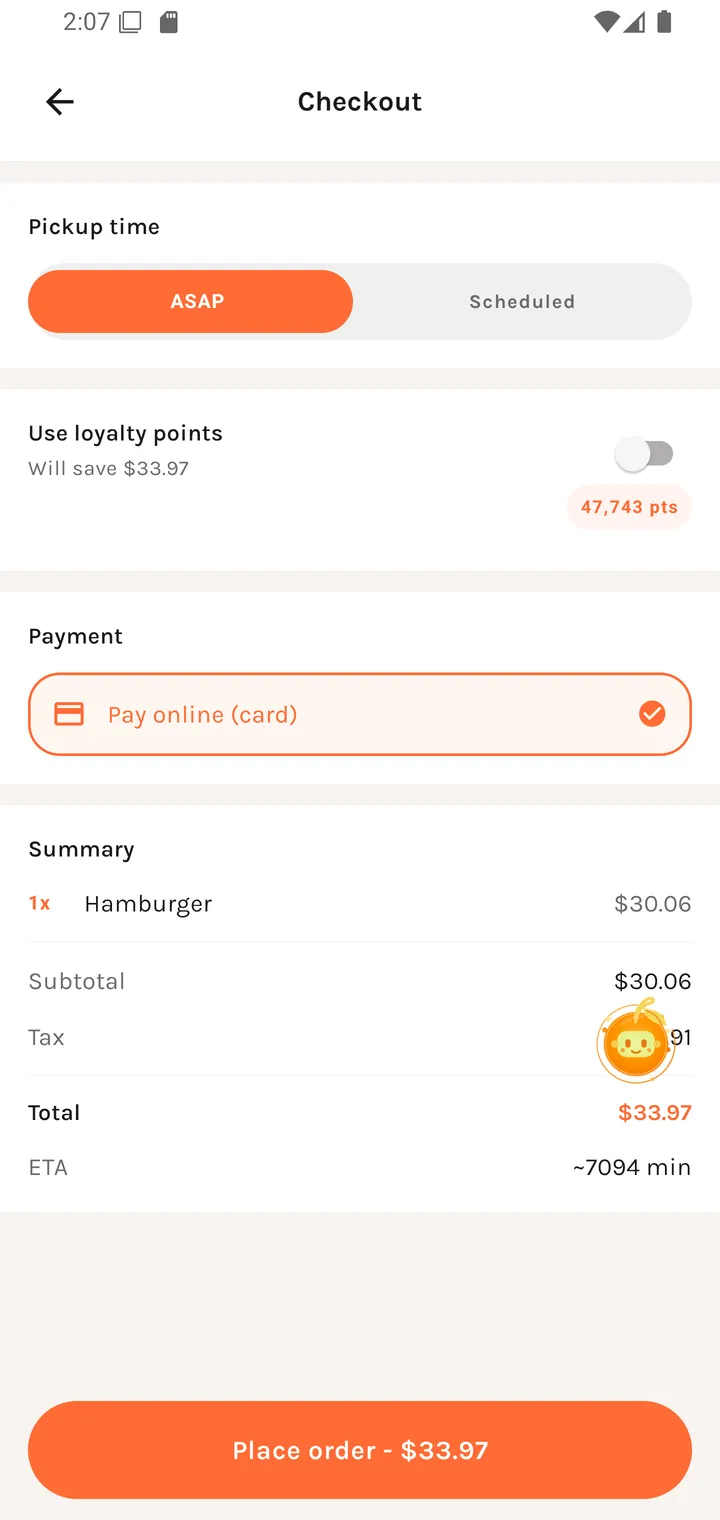
Payment
Payment
| Option | When |
|---|---|
| Pay online (card) | The restaurant accepts online payment. |
| Pay at counter | The restaurant offers it — you pay on collection instead. |
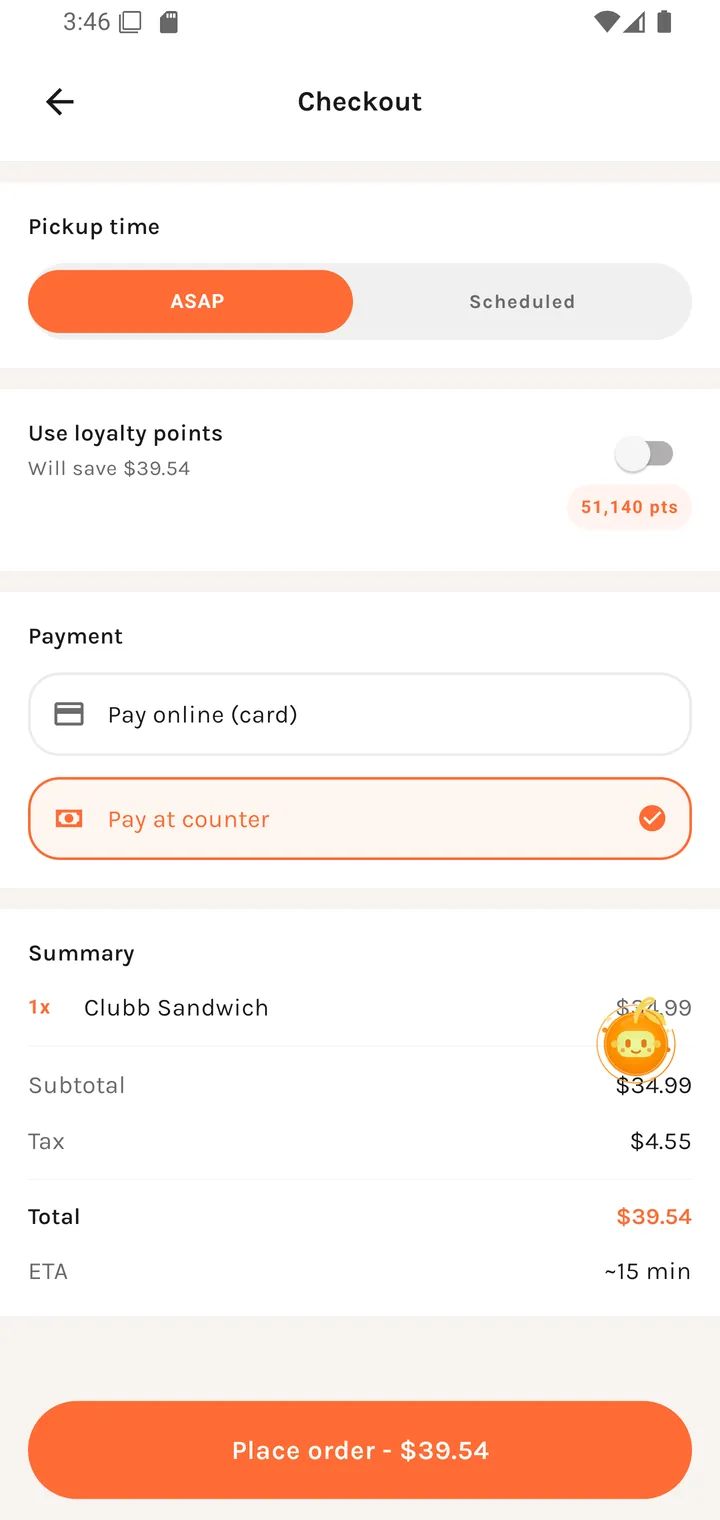
Only the options the restaurant actually supports are shown, so a restaurant with just one enabled gets a single row rather than a disabled second choice.
The app switches for you rather than letting you pick something that will fail, and tells you it did:
This restaurant doesn't offer pay at counter right now — switched you to online payment.
This restaurant doesn't accept online payment right now — switched you to pay at counter.
If you arrived via a table QR you'll also see:
QR order detected from your location or table session.
Pickup time
| Option | Notes |
|---|---|
| ASAP | As soon as the kitchen can. |
| Scheduled | Select pickup time — Choose a slot for your order. |
Tip
Tip
Add a tip Show your appreciation - 100% goes to the restaurant.
Preset percentages, a Custom amount ($) field, and No tip / Skip tipping. The running value shows as Tip: $n.
For table orders the subtitle changes to "Add a tip for QR online orders."
The "100% goes to the restaurant" line is a factual claim about how tips are routed — Plaum takes no cut.
Loyalty
Use loyalty points appears when the restaurant runs a scheme:
| State | Message |
|---|---|
| Enough points | Saving $n! / Will save $n |
| Not quite enough | Need n pts for $n off |
| Far off | Not enough points yet |
Rather than hiding the option, it shows you how close you are.
Summary
| Line |
|---|
| Subtotal |
| Tax |
| Estimated loyalty discount |
| Tip |
| Total |
| ETA |
The loyalty line is explicitly estimated — the server confirms it at capture.
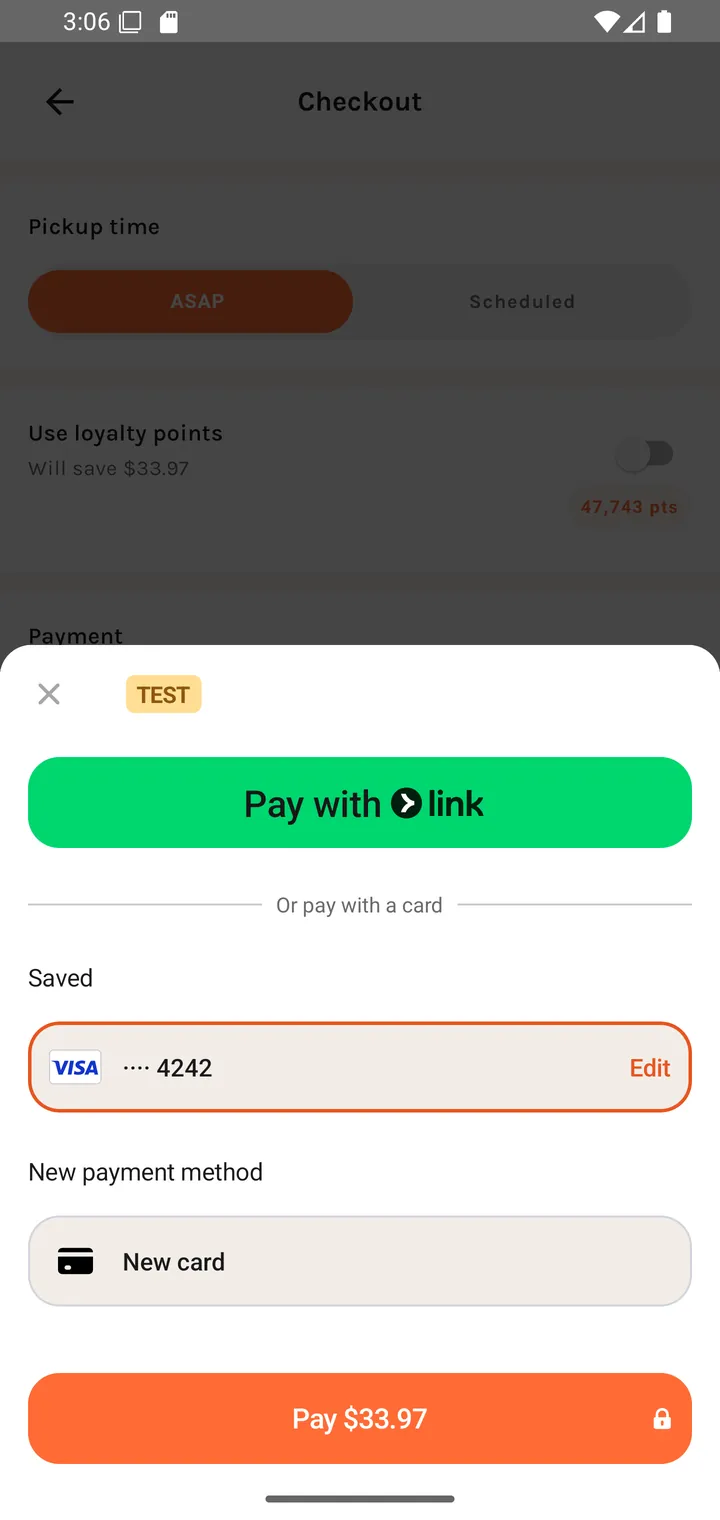
The button reads Place order - $total, becoming Placing order… while it works. Paying online then hands off to Stripe's own sheet — saved cards, Link, or a new card:
Things that block checkout
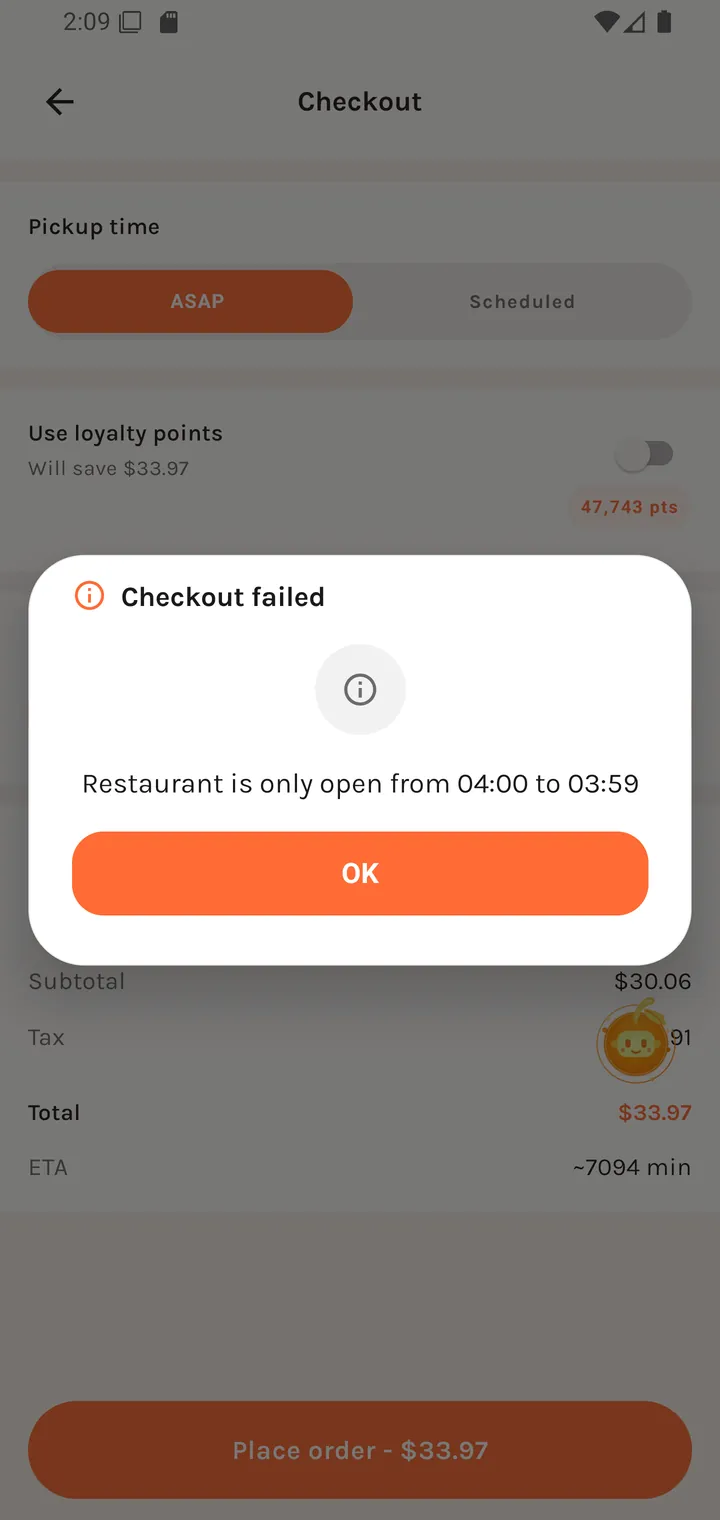
| Condition | Message |
|---|---|
| Items from more than one restaurant | Multiple restaurants in cart — Remove items from other restaurants to continue. |
| Listing-only restaurant | Ordering unavailable — This restaurant is directory only and does not accept orders here. |
| Outside ordering hours | Online ordering is closed right now. |
| Restaurant account trying to order | Foodie account required |
Payment failures
Each failure is distinct, so it's clear whether to retry, change card, or give up:
| Message | Meaning |
|---|---|
| Payments unavailable. | Payment processing isn't configured. |
| Payment not ready. | The sheet hasn't initialised yet. |
| Could not start payment. | Stripe wouldn't open. |
| Payment failed. | The card was declined or the sheet errored. |
| Could not place your order right now. | Payment may be fine; order creation failed. |
On duplicate orders. A retry after a flaky network will not produce a second charge — Plaum makes sure an order is only ever created once.