
Order confirmation
How you get here: automatically after a successful checkout. Requires an account? Yes.
What this is
The receipt-and-reassurance screen. Short by design — it confirms the order landed, gives you the number and the ETA, and offers exactly two ways out.
The screen
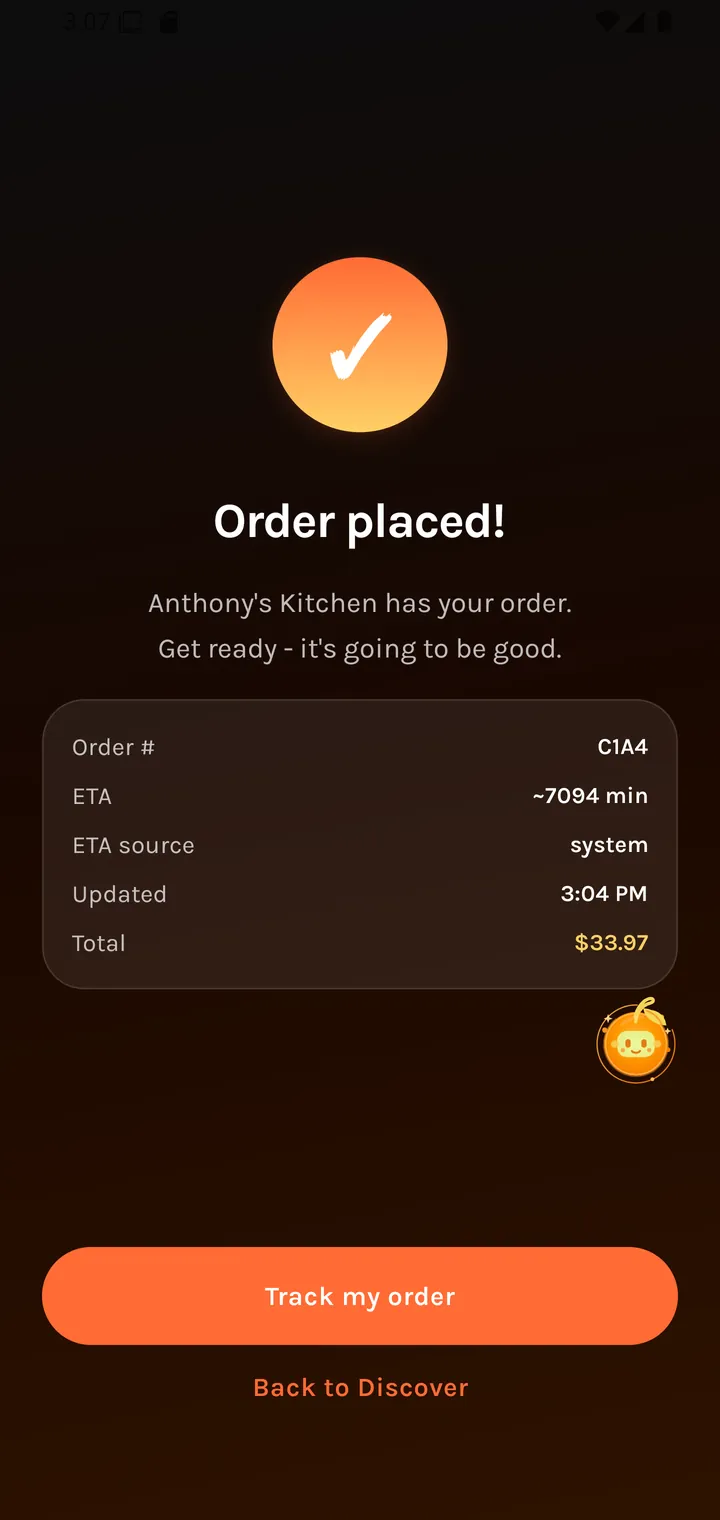
Order placed!
{restaurant} has your order.
Get ready - it's going to be good.
| Field | Notes |
|---|---|
| Order # | Quote this to the restaurant. |
| ETA | When it should be ready. |
| ETA source | Where the estimate came from — the restaurant's own figure or Plaum's model. |
| Updated | When the ETA last changed. |
| Total | What you paid. |
If the restaurant name is missing it falls back to "your restaurant" rather than showing a blank.
ETA source distinguishes a promise from the kitchen from an estimate by the platform.
The two exits
| Button | Goes to |
|---|---|
| Track my order | Order status |
| Back to Discover | Returns you to browsing |
Where you go next
Order status, then Rating an order when it's done.