
Order status & live tracking
Deep link: plaum://order/:orderId
How you get here: Track my order from confirmation, a
row on Orders, or a push notification.
Requires an account? Yes.
What this is
The live view of one order — it updates on its own, with no refreshing needed. Two tabs: Status and Kitchen Chat.
Order Status
A help icon in the corner routes to Support carrying this order.
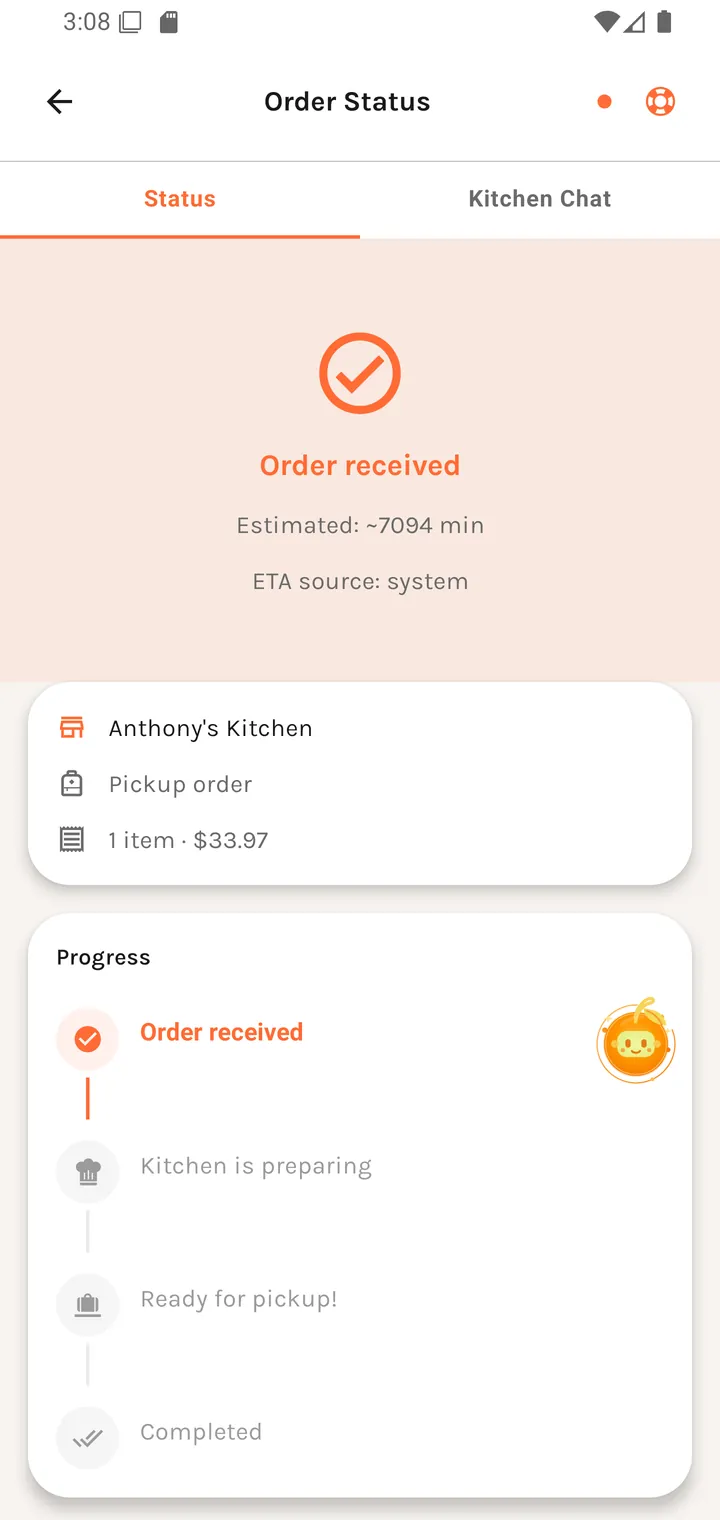
The Status tab
The progress steps
| Step | Label |
|---|---|
| 1 | Order received |
| 2 | Kitchen is preparing |
| 3 | Ready for pickup! |
| 4 | Completed |
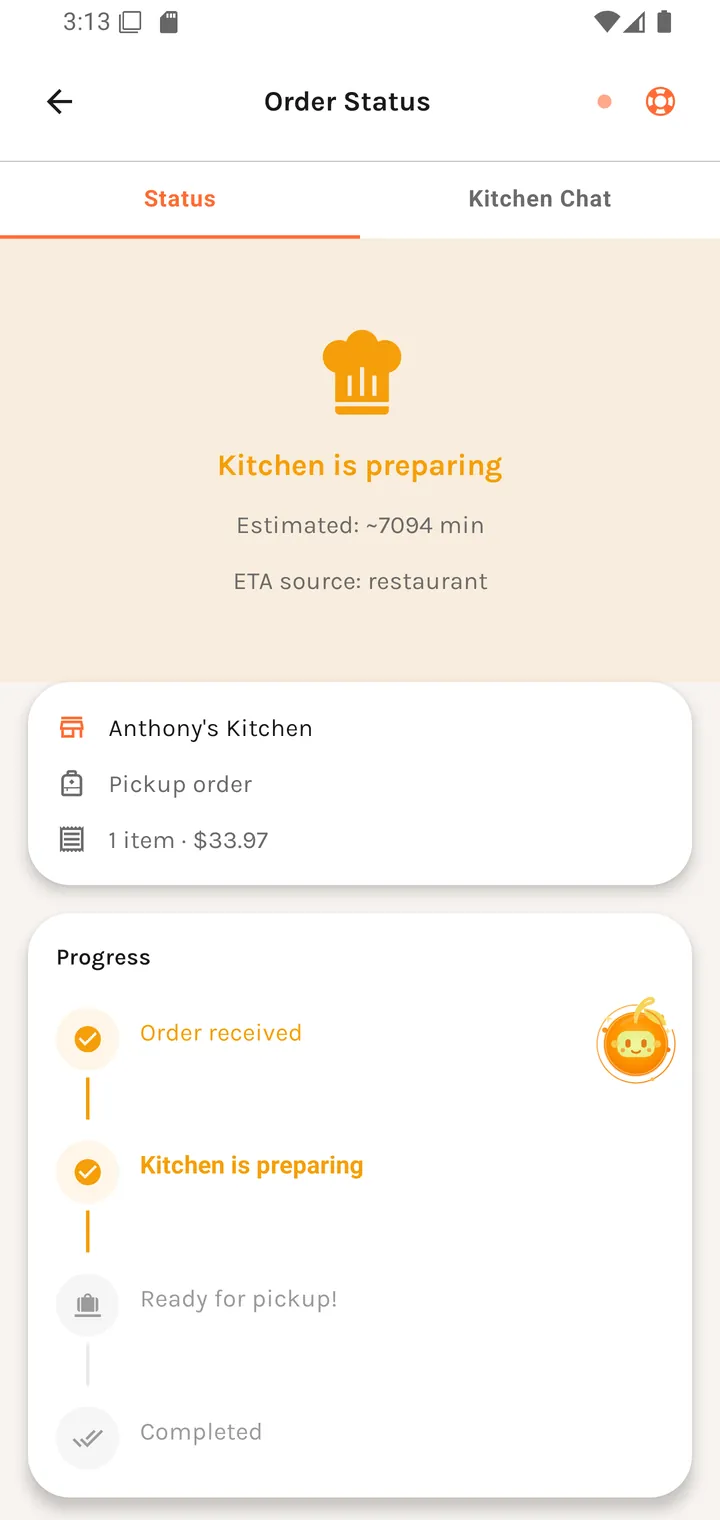
The header takes the colour of the current step — amber while the kitchen is preparing, green once it's ready — so the state is readable at a glance without reading the text.
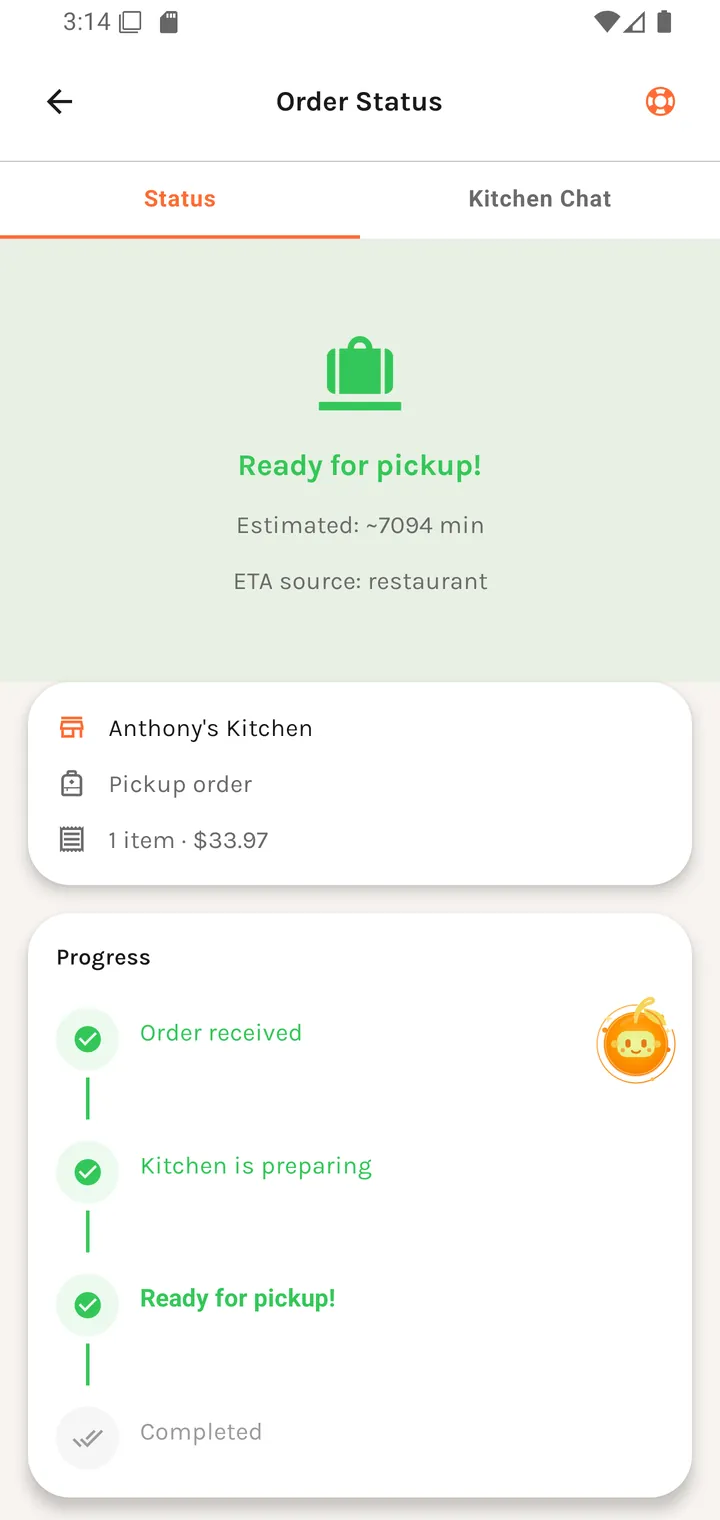
Underneath: Estimated: time, an ETA source, and a Progress rail with a tick against each completed step.
ETA source
Worth knowing, because it tells you how much to trust the estimate. It reads system while the order is still being accepted — Plaum's own guess — and flips to restaurant once the kitchen takes it, at which point the number is the kitchen's own.
Order type
Shown as Pickup order or Dine-in with Table n, plus the item count (1 item / n items).
If payment didn't complete
Payment pending This order exists, but payment still needs to be completed before the kitchen can treat it as confirmed.
[ Complete payment ]
Worth understanding: an unpaid order is not in the kitchen's queue. The message says so plainly rather than leaving you waiting for food nobody is cooking.
Failures here: "Payment unavailable — we could not find a Stripe client secret for this order." or "Could not complete payment for this order." On success: "Payment processed! Updating your order now."
Change requests from the kitchen
The most interesting part of this screen. A restaurant can propose changes — an item is out of stock, a substitution is needed — and you approve or reject them.
Change request waiting The restaurant proposed changes to your order. Tap to review the diff before it lands. [ Review changes ]
Also surfaced as Pending edit / Order needs review, summarised as 1 proposed item or n proposed items.
Reviewing the changes
The modal shows Original order against Proposed changes, line by line, with unit prices ({price} each) and line subtotals. Where details are missing it says so — "No original item details provided." — rather than showing an empty column.
If the change costs nothing extra: "No additional charges are required."
Accept → "Changes accepted." Reject → "Changes rejected." If it can't be submitted: "Could not submit your response right now."
This is a genuine two-way negotiation, and you see the exact diff before agreeing.
Cancelling
Cancel Order asks first:
Cancel Order Are you sure you want to cancel this order? [ No ] [ Yes, Cancel ]
Failure: "Failed to cancel order". A cancelled order shows Order Cancelled.
The Kitchen Chat tab
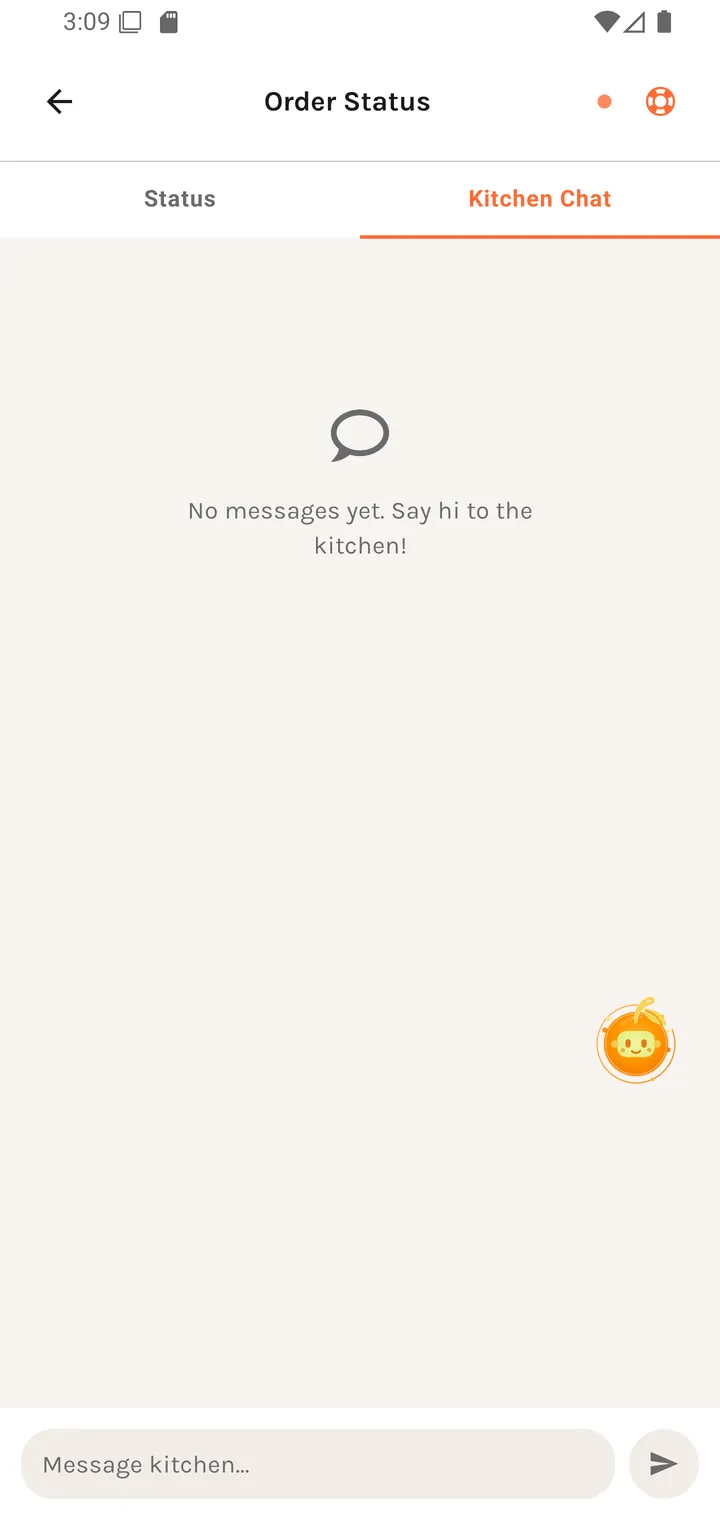
No messages yet Say hi to the kitchen!
with the input placeholder Message kitchen.... A direct line to the people cooking —
for a late allergy note or a "running 10 minutes late". Failure: "Failed to send message.
Try again."
When it's done
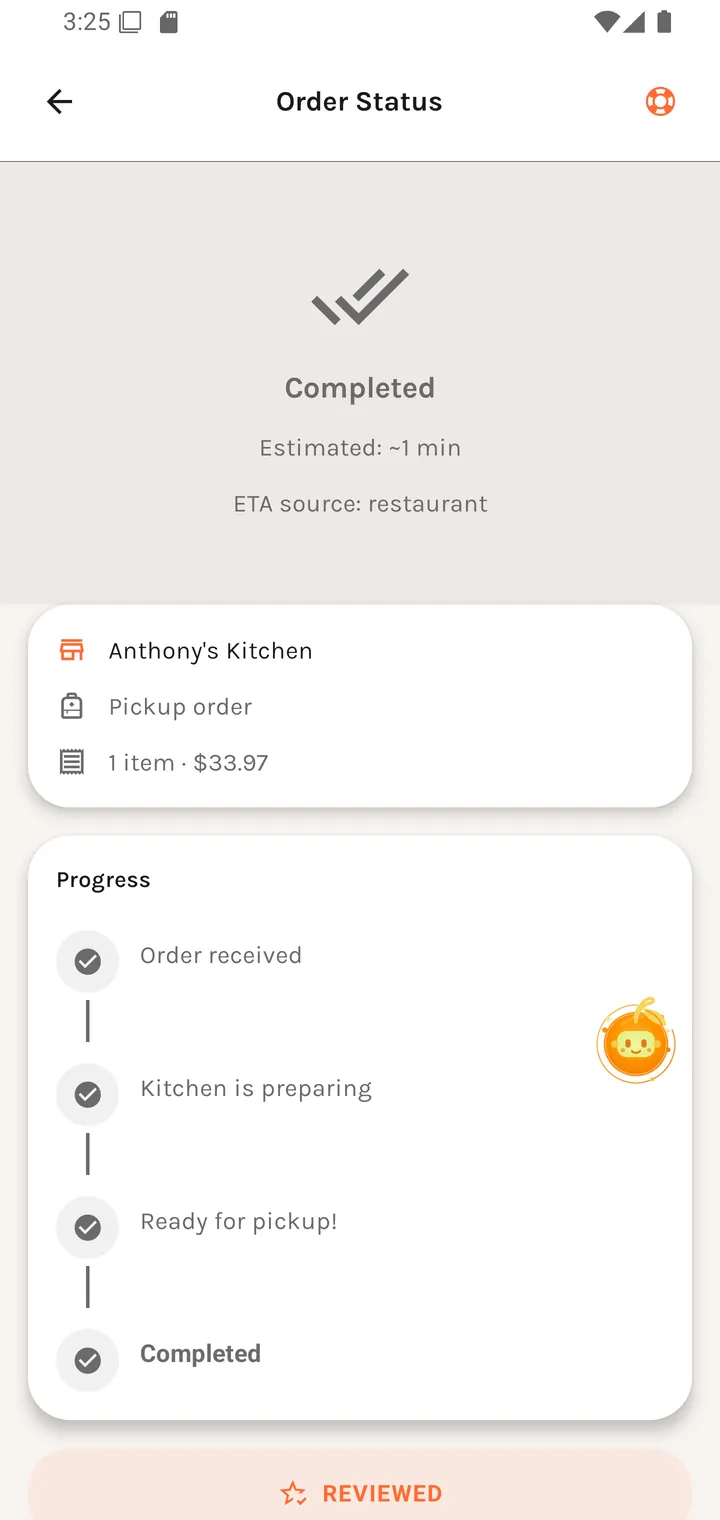
Leave a review appears at the bottom, becoming REVIEWED once you have. See Rating an order.