
Discover — the dish feed
How you get here: the Discover tab — the second slot in the tab bar. Requires an account? No — guests get it, minus a few controls.
What this is
The heart of Plaum. Not a list of restaurants and not a menu — a scrollable, two-column masonry wall of individual dishes, each one a real photo with a price and a distance. The pitch from onboarding — "Browse dishes, not just menus" — is this screen.
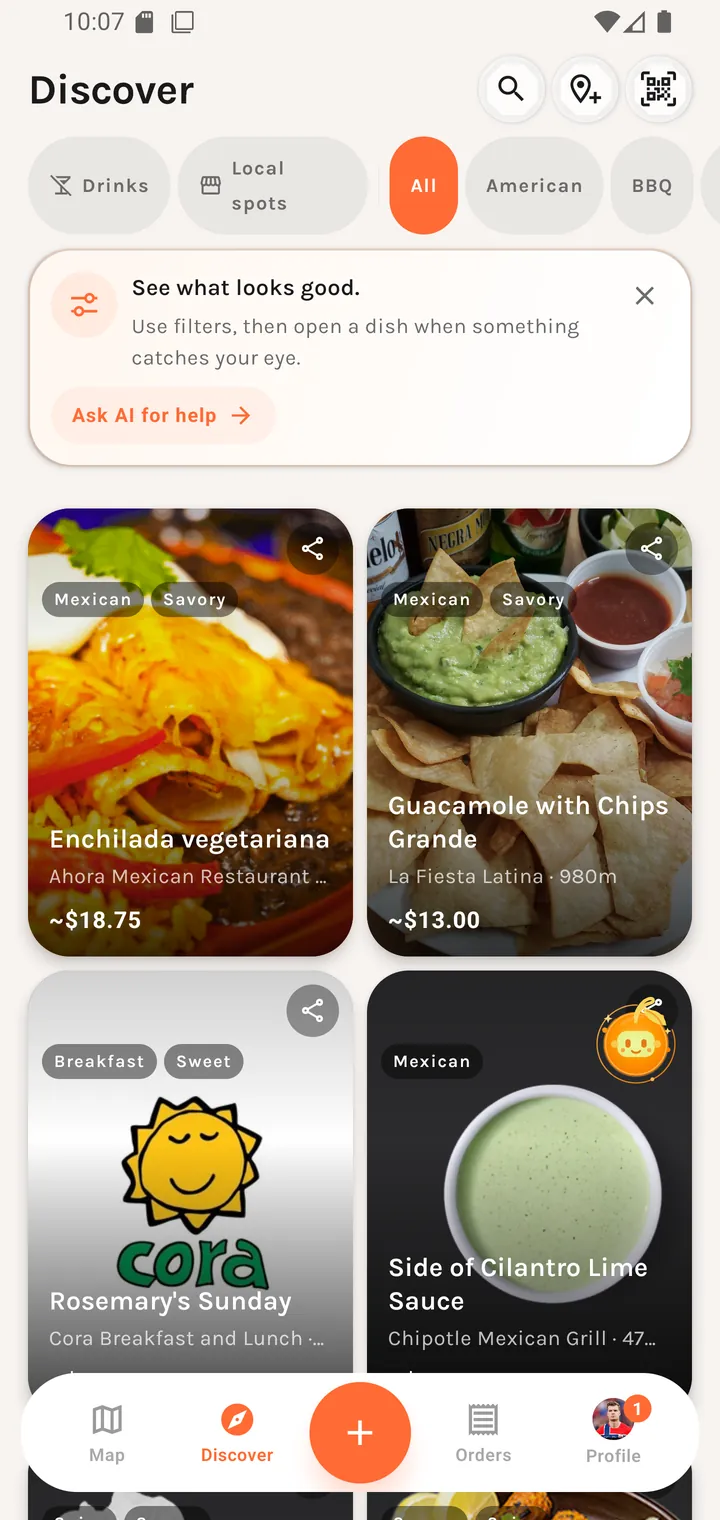
The header
| Control | Icon | What it does |
|---|---|---|
| Search dishes | magnifier | Opens the dish search panel. The icon becomes an ✕ while open. |
| Suggest a place | map-pin-plus | Opens Place feedback so you can tell Plaum about a restaurant it's missing. |
| Scan QR code | QR | Opens the table scanner, when QR ordering is on. |
The filter row
A horizontally scrolling strip with two toggles, a divider, then cuisine chips.
Drinks
Turns drinks on or off in discovery. This is a saved preference, not a session filter — it persists to your profile. Hidden for guests, because drinks are a profile opt-in and the server never serves them to an anonymous session.
Local spots
Prioritize independent local spots over big chains
Boosts independents and small chains over large ones. Available to everyone, guests included.
Cuisine chips
All followed by the cuisine list — American, BBQ, Bakery, Breakfast, and so on through the 25 cuisines. Single-select: picking one replaces the last.
The dish cards
Each card carries:
- The dish photo, filling the tile
- Up to two tags overlaid top-left (e.g.
Mexican,Savory) - A share button top-right
- The dish name
- The restaurant name and distance —
La Fiesta Latina · 980m - An approximate price —
~$13.00
Tap a card to open Dish detail.
Long-press menu
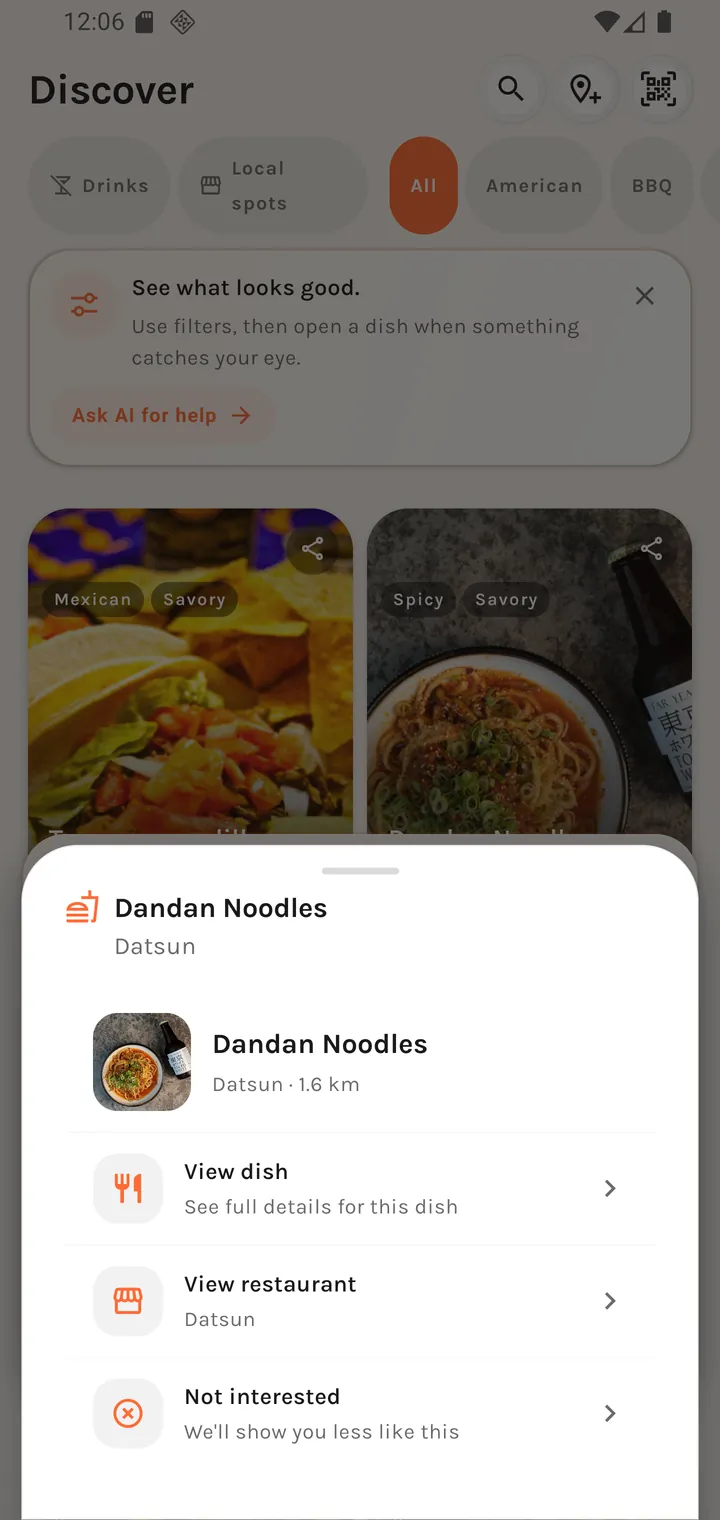
Long-pressing a card opens a context menu:
| Action | Subtitle |
|---|---|
| View dish | See full details for this dish |
| View restaurant | The restaurant's name |
| Not interested | We'll show you less like this |
Not interested does more than hide the card — Plaum also shows you less like it from then on.
Sharing
The share sheet sends a message in the form:
Dish at Restaurant — found on Plaum!
followed by a link to the dish.
Search
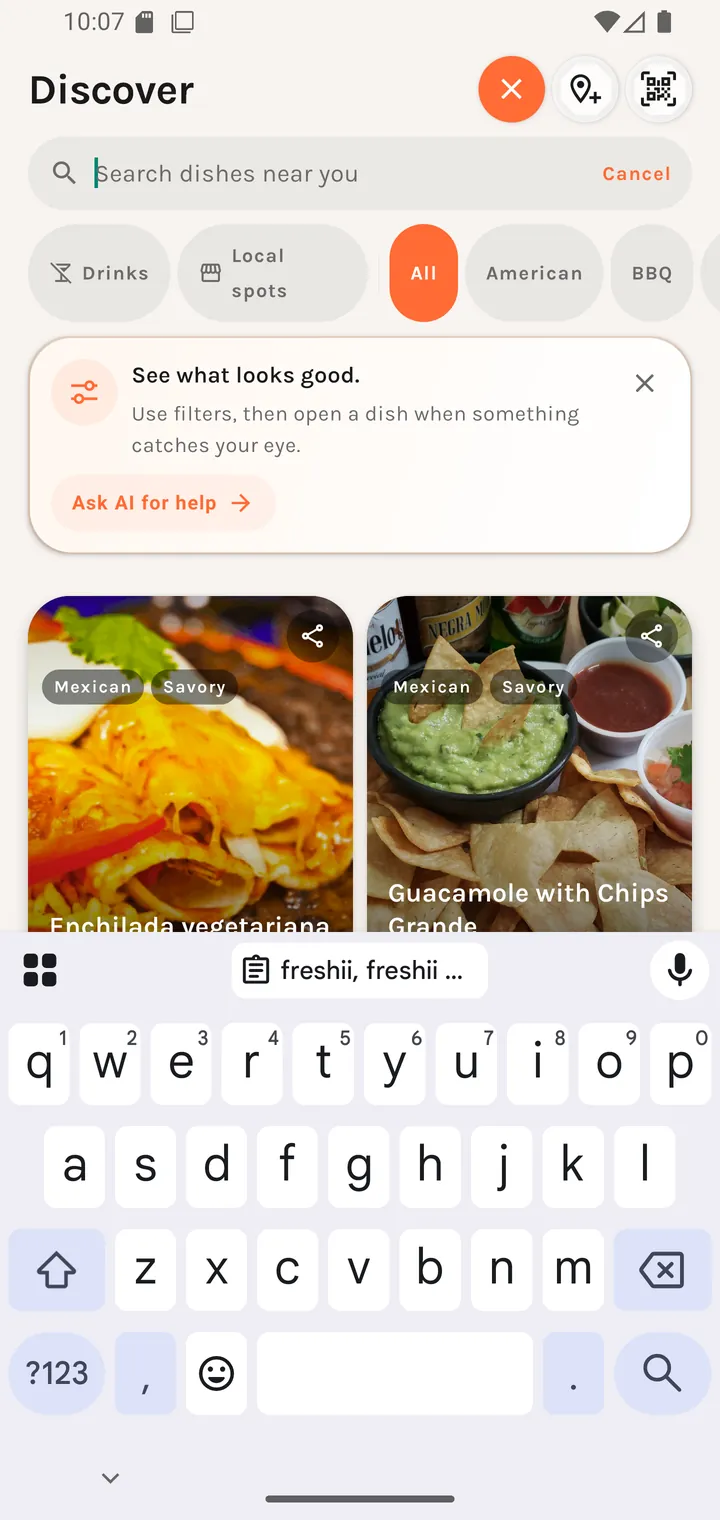
Tapping the magnifier drops down a search panel over the feed.
 |
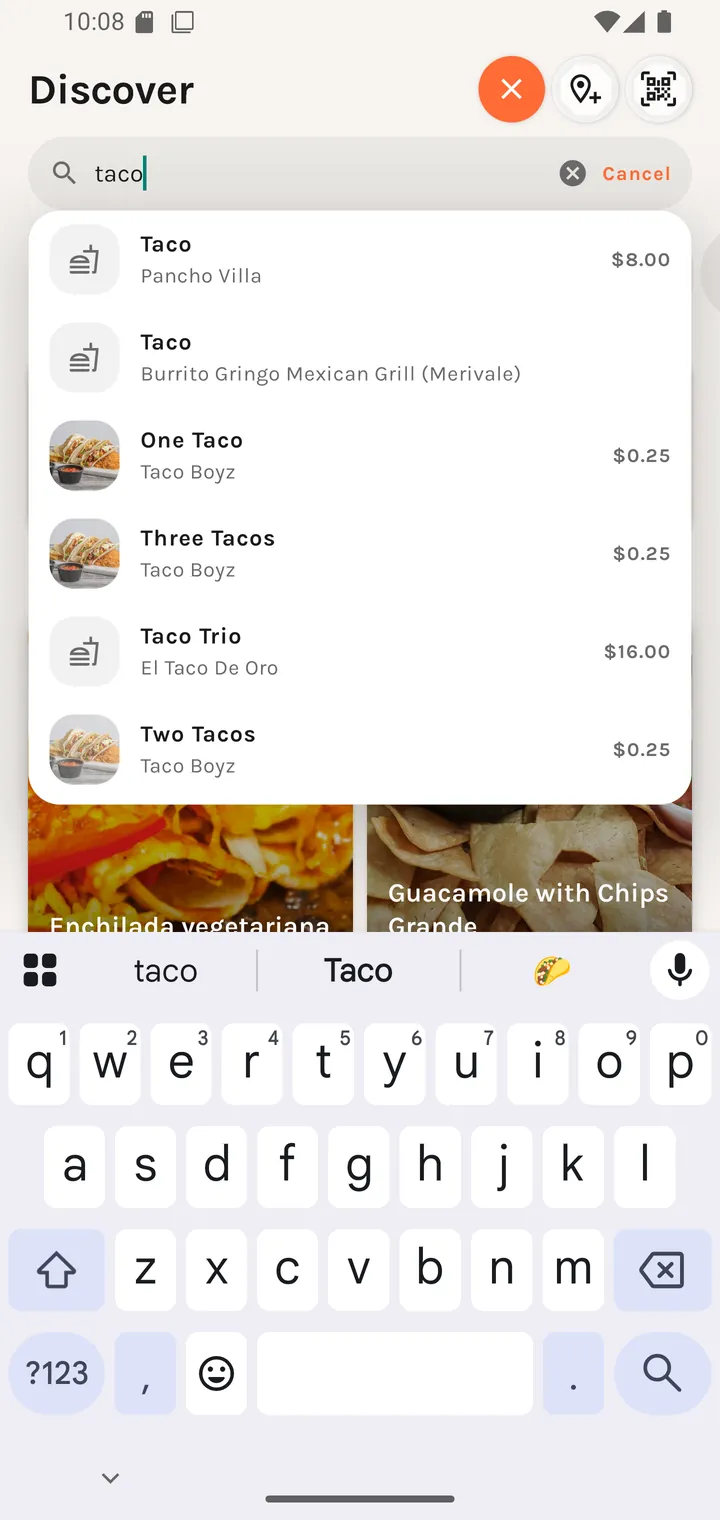 |
Results are live and location-aware, each row showing the dish, its restaurant, and its price. Search respects the cuisine chip you have selected. With no matches you get "No dishes matching "{query}" nearby." Tapping a result opens that dish directly.
The coach mark
On a first run a dismissible card sits above the grid:
See what looks good. Use filters, then open a dish when something catches your eye. [ Ask AI for help → ]
Ask AI for help hands you to Plaum AI with the browsing context.
On the very first launch after signing in you also get a welcome sheet over the feed:
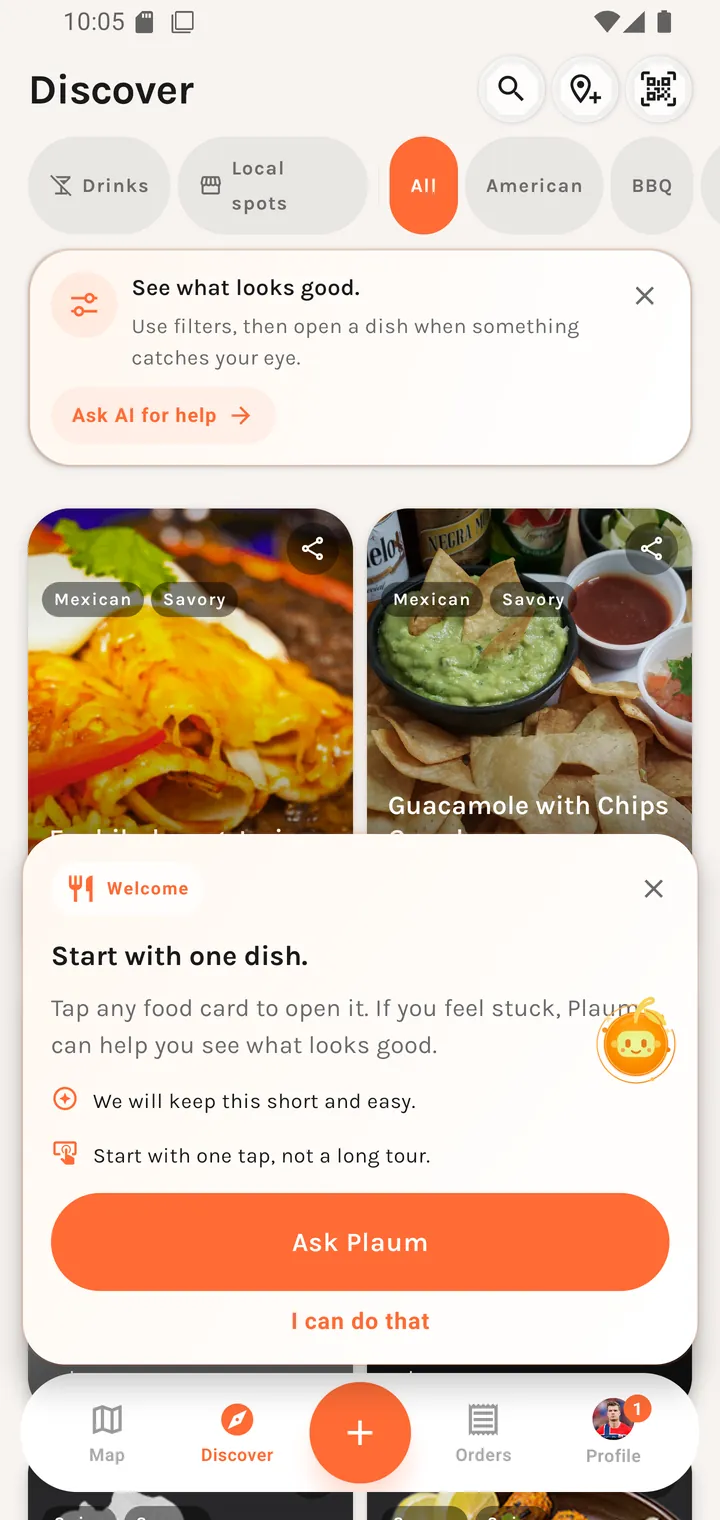
Welcome
Start with one dish.
Tap any food card to open it. If you feel stuck, Plaum can help you see what looks good.
✦ We will keep this short and easy. ✦ Start with one tap, not a long tour.
[ Ask Plaum ] I can do that
The two bullets are a promise about the onboarding itself, and I can do that dismisses it — no multi-step tour.
Empty states
No taste profile
Nothing here yet Complete your taste profile to get personalized picks
Your recommendations have nothing to work from yet. Fix it in Taste preferences.
Outside the service area
You're outside our service area — Plaum currently only operates in Ottawa.
A dismissible banner. Plaum's service region is Ottawa with a 60 km radius — wide enough to cover Kanata, Orleans, Barrhaven and Gatineau so commuters near the edge aren't falsely flagged.
Good to know
- The floating Plaum AI button rides above the feed on every tab and can be dragged out of the way.