
Dish Cards
Deep link: plaum://dish-card/:cardId
How you get here: Continue to details from Enhance; or by
tapping a saved card on your profile.
Requires an account? Yes.
What a Dish Card is
A personal record of a meal you ate — the photo, where it was, what you thought, and when. It is a private keepsake — yours, not a public listing.
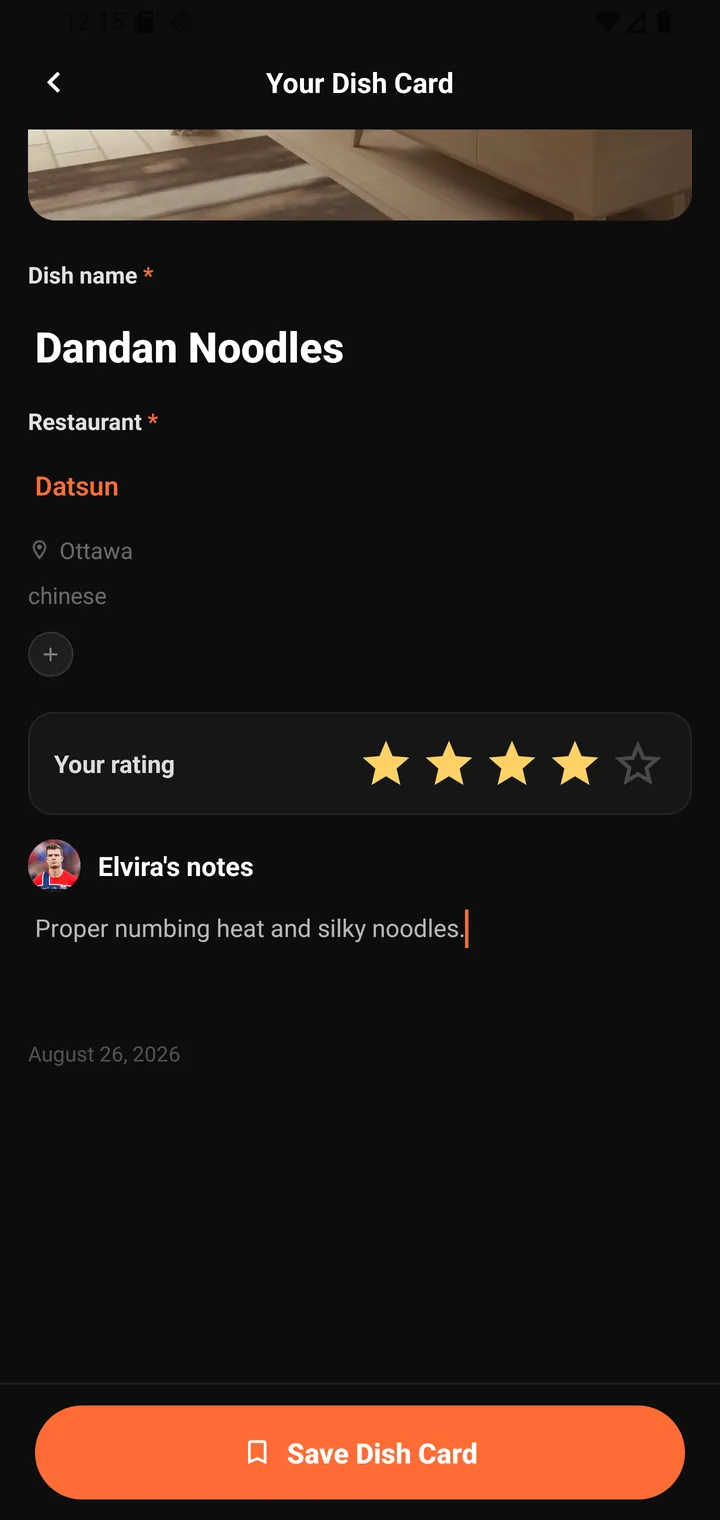
Creating one
Your Dish Card
| Field | Required | Notes |
|---|---|---|
| Dish name | ✱ | Pre-filled if you named it on the Enhance screen. |
| Restaurant | ✱ | Type-ahead against real restaurants — picking a suggestion pulls in its city and cuisine (e.g. Datsun · Ottawa · chinese). |
| Your rating | — | Five stars. |
| Name's notes | — | What made this dish special? Describe the taste, texture, vibes… |
| Date | — | Defaults to today, e.g. August 26, 2026. |
Then Save Dish Card.
The restaurant field is a real lookup, not free text — that's what lets a card link back to a restaurant profile rather than just naming one.
The notes prompt asks concrete questions — taste, texture, vibes — because those are the details you'll want to remember later.
After saving — the export sheet
Saving opens a sheet headed with the dish and restaurant:
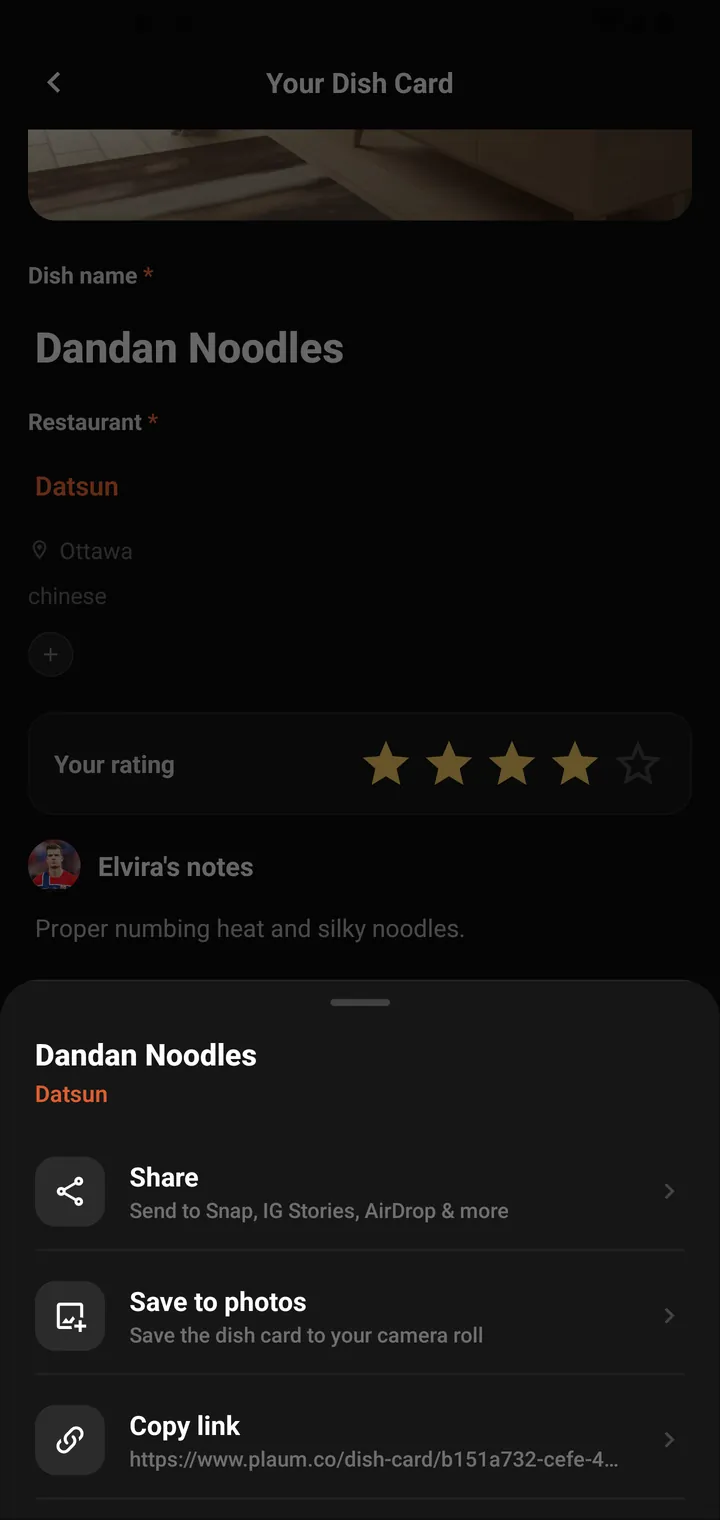
| Action | Sub-text |
|---|---|
| Share | Send to Snap, IG Stories, AirDrop & more |
| Save to photos | Save the dish card to your camera roll |
| Copy link | The card's public URL, e.g. https://guest.plaum.co/dish-card/{id} |
Copy link becomes Link copied! once tapped. Before a card is saved it is dimmed and reads "Save your card first to get a link" — you can't share what doesn't exist yet.
Note: a Dish Card is private, but Copy link produces a public
guest.plaum.co/dish-card/…URL. Sharing the link is what makes an individual card public — the card itself staying off your public profile.
Editing
A saved card can be edited — same fields as creation, applied to the existing card.
Where you go next
Back to your profile, where saved cards live.