
Your profile
How you get here: the Profile tab — the one showing your avatar rather than an icon. Requires an account? Yes. Guests get "Make Plaum yours" instead.
What this is
Your identity in Plaum and everything you've captured. It is also the doorway to every setting and to the restaurant tools — those are deliberately kept out of the tab bar and put here instead.
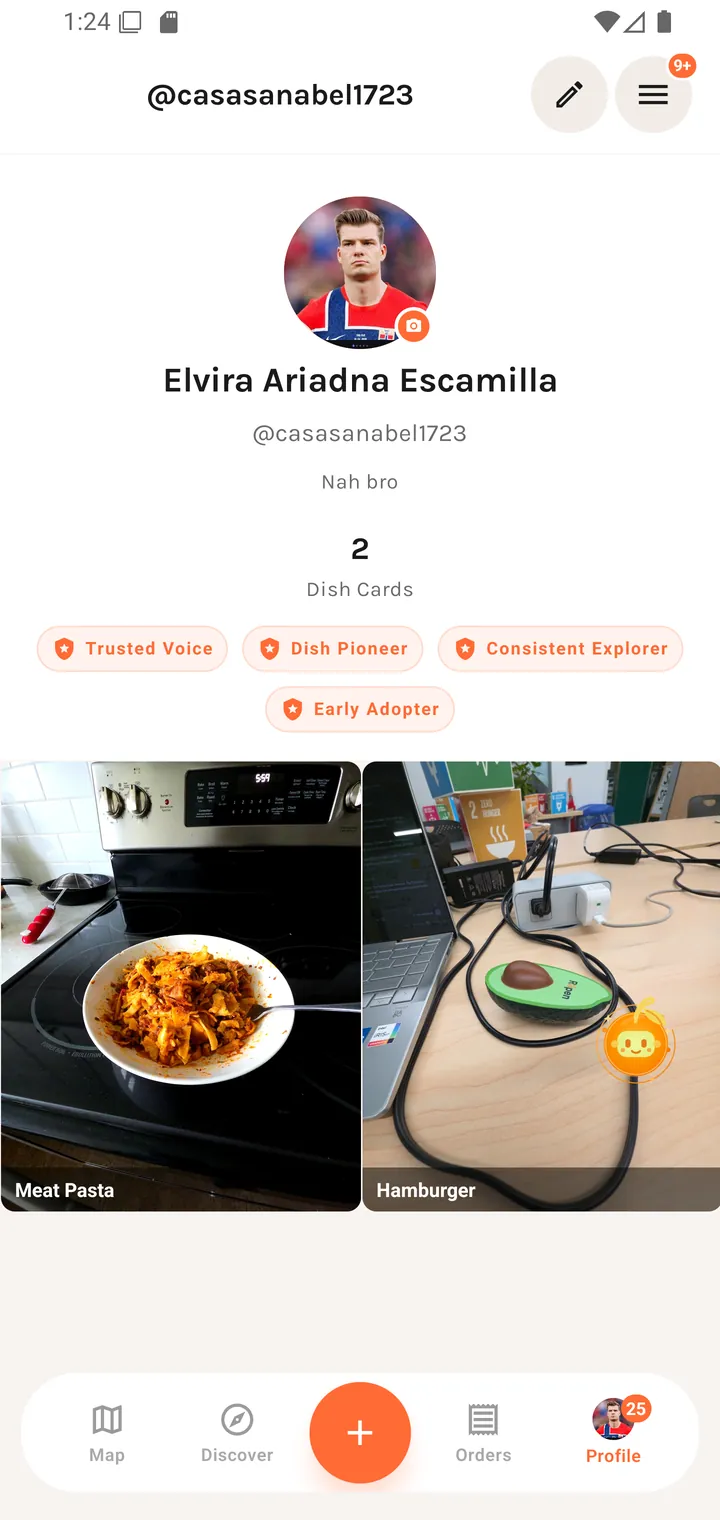
The header
| Element | Notes |
|---|---|
| Avatar | Tap to change. |
| Display name | e.g. Elvira Ariadna Escamilla |
| @username | e.g. @casasanabel1723 |
| Bio | Free text, up to 160 characters. |
| Dish Cards | A count of the meals you've captured. |
| Badges | Server-awarded, e.g. Trusted Voice, Early Adopter. Long-press for details. |
| Edit profile | Pencil, top-right. |
| Settings | Menu icon, top-right, with an unread badge. |
Changing your photo
Tapping the avatar opens a sheet:
Profile Photo — Choose how to update your photo Choose from Library · take a new one
Denied permissions are explained rather than silently failing: "Camera access is required." or "Please allow photo library access in your settings."
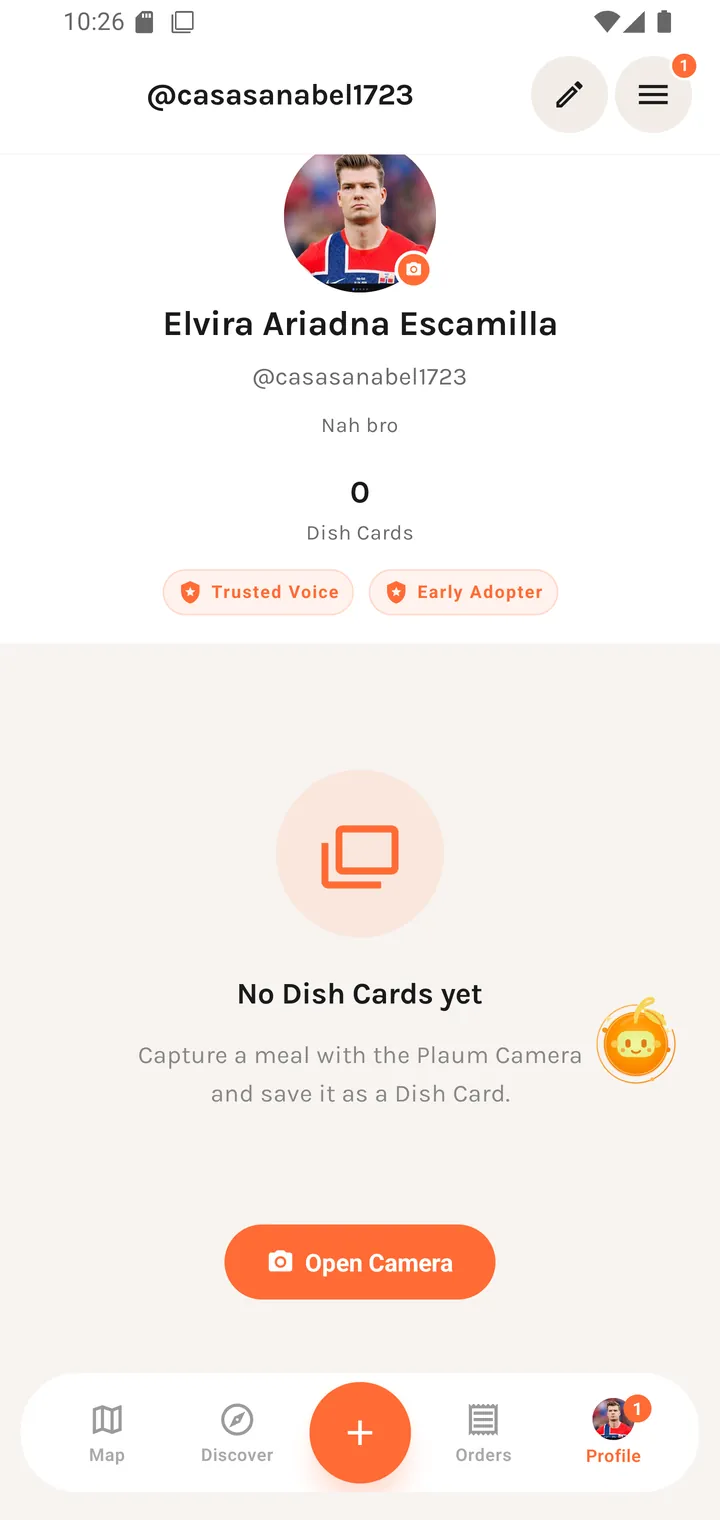
Your Dish Cards
Below the header, a grid of the Dish Cards you've saved. Tapping one opens it.
Empty state:
No Dish Cards yet Capture a meal with the Plaum Camera and save it as a Dish Card. [ Open Camera ]
The empty state links straight into the camera rather than just stating the problem.
Edit profile
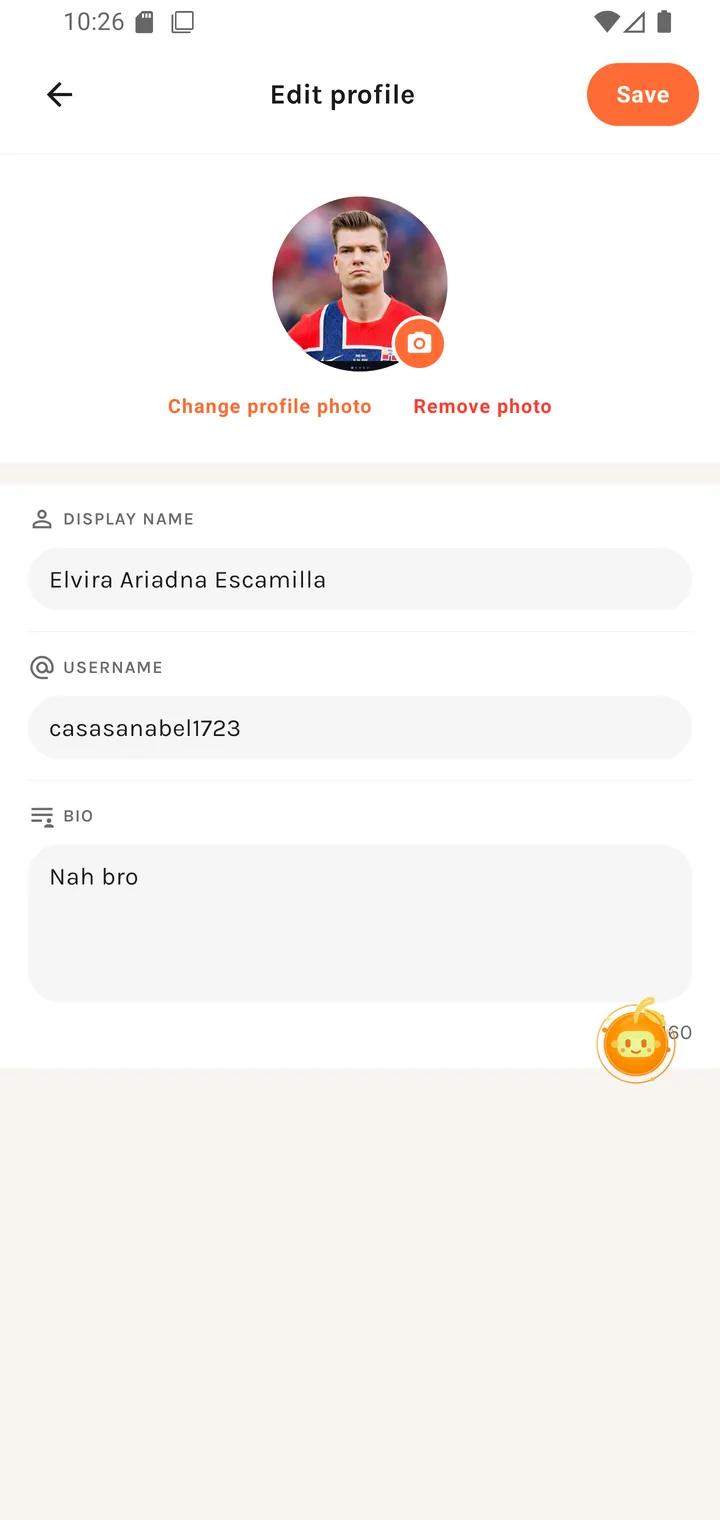
| Field | Placeholder |
|---|---|
| Display name | Your name |
| Username | username |
| Bio | Tell people about yourself — with a live n/160 counter |
Plus Change avatar, and Save profile in the top-right. See Edit profile.
For guests
Sign in to see your profile Create an account to build your taste profile and save your favorites.
See Browsing as a guest.