
Edit profile
How you get here: the pencil icon on your profile. Requires an account? Yes.
What this is
Edit profile
Your public identity — the four things other people see.
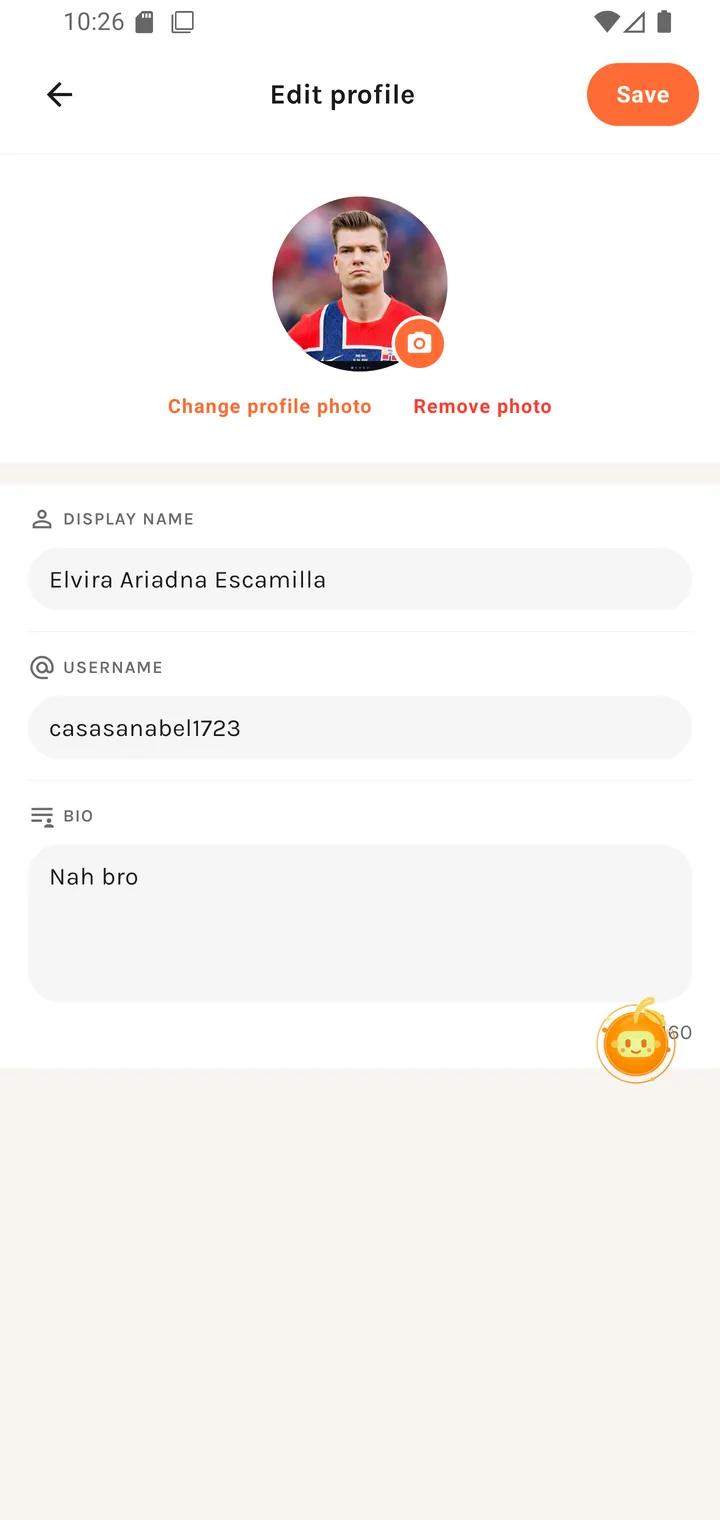
The fields
| Field | Placeholder | Notes |
|---|---|---|
| Display name | Your name |
Your public name in the app. |
| Username | username |
Your @handle. Same rules as sign-up: 3–20 characters, letters, numbers and underscores. |
| Bio | Tell people about yourself |
Up to 160 characters, with a live n/160 counter. |
| Avatar | — | Change avatar over the current picture. |
Save profile sits in the top-right — nothing saves until you tap it.
Changing your avatar
Tapping the picture offers:
Profile Photo — Choose how to update your photo Choose from Library · take a new one
Permission failures are explained: "Camera access is required." / "Please allow photo library access in your settings."
What you can't change here
Your email and password aren't on this screen — those are account credentials rather than profile identity. Password changes go through the reset flow.